
Lead Magnet Section Prompt for AI Builder
Build high-converting opt-in sections with AI-powered prompts designed for marketers, coaches, and SaaS teams who need proven lead capture templates fast.
Who This Prompt Is For
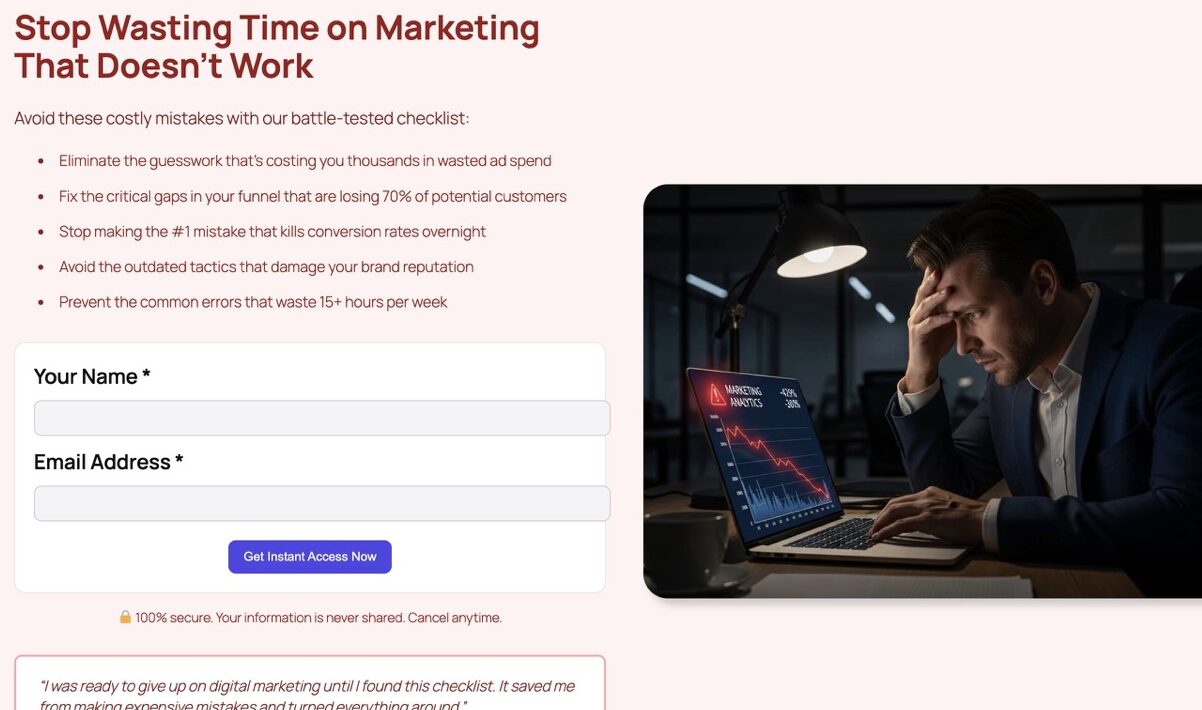
This prompt is perfect for digital marketers, course creators, consultants, and SaaS founders who want to capture qualified leads without hiring a designer. Whether you’re offering a free checklist, template, or mini-course, this AI Builder prompt generates a complete opt-in section with persuasive copy, social proof, and form placeholders—ready to customize in seconds.
You’ll get two conversion-optimized versions: one focused on gains (what they’ll achieve) and one on pain relief (what problem it solves). Use them for A/B testing or pick the angle that resonates most with your audience.
The Prompt (Copy & Paste)
Create a Gutenberg lead magnet section to offer {resource} (e.g., checklist, template). Include: benefit-driven headline, 5 bullet points, an email form (placeholder), reassurance (no spam), social proof (short testimonial), and a visual block. Add an A/B version: ‘gain’ hook vs ‘pain relief’ hook.
Prompt Variations
- Tone: Add ‘casual and friendly’ or ‘professional and authoritative’ before the prompt
- Target: Specify ‘for B2B SaaS founders’ or ‘for fitness coaches’ after {resource}
- Language: End with ‘in French’ or ‘in Spanish’ for multilingual pages
Recommended Settings
Style & Colors
Use your brand primary color for the CTA button. Keep backgrounds light (white or soft gray) to maximize form visibility. Ensure high contrast between text and background for accessibility.
Images & CTAs
Replace AI-generated images with a mockup of your lead magnet (PDF cover, checklist preview). Use action-oriented CTA text like ‘Get My Free Template’ instead of generic ‘Submit’.
Example Output
When you run this prompt in AI Builder, you’ll get a complete lead magnet section with these Gutenberg blocks:
- core/cover or core/group – Hero container with background
- core/heading – Benefit-driven headline (H2)
- core/list – 5 bullet points highlighting key benefits
- ai-builder/aibui-contact-form – Email capture form with custom fields
- core/paragraph – Privacy reassurance text
- core/paragraph – Short testimonial with quotation styling
- core/image – Visual block for lead magnet preview
- core/button – Primary CTA with custom styling
Common Mistakes to Avoid
- Vague resource names: Replace {resource} with specific items like ’10-Point SEO Checklist’ instead of just ‘checklist’
- Ignoring mobile layout: Test form fields on mobile—long labels break on small screens
- Weak CTAs: ‘Download Now’ converts better than ‘Submit’ or ‘Send’
- No social proof: Always include a short testimonial or stat (e.g., ‘Join 2,000+ marketers’)
- Forgetting GDPR compliance: Add a checkbox for consent if targeting EU audiences
Ready to Build Your Lead Magnet Section?
Use this prompt in AI Builder to generate a conversion-optimized opt-in section in seconds. No coding, no design skills required.