Author: admin9295

  • AI‑Powered Efficiency: Cut Website Build Time in Half

    AI‑Powered Efficiency for Freelancers and Agencies

    How WordPress AI Builder Cuts Website Build Time in Half

    In today’s fast‑paced digital landscape, freelancers and agencies face mounting pressure to deliver high‑quality websites on tight deadlines. Clients expect polished designs, engaging content, and seamless functionality—all while budgets shrink and timelines compress. Traditional workflows, which rely heavily on manual coding, content writing, and design iteration, often struggle to keep pace with these demands.

    Enter artificial intelligence. AI‑powered tools are revolutionizing web development by automating repetitive tasks, generating content at scale, and accelerating design workflows. Recent data reveals that 93% of web designers have integrated AI tools into their processes in recent months, with 50% using AI to create complete page layouts. These tools enable developers to complete tasks 40–60% faster, while AI writing assistants can halve content creation time—transforming how professionals approach website projects.

    Time‑Saving Benefits of AI Tools

    AI writing assistants have become indispensable for modern web professionals. These tools generate first drafts, outlines, and even complete sections of copy in seconds—tasks that traditionally consumed hours of a designer’s day. By handling the heavy lifting of initial content creation, AI frees human designers to focus on what they do best: creative strategy, brand storytelling, and client collaboration.

    Beyond writing, AI excels at brainstorming and research. Need headline variations for a landing page? AI can generate dozens of options in moments. Looking for industry statistics or competitor insights? AI‑powered research tools surface relevant data faster than manual searches. This capability dramatically reduces the time spent on preliminary work, allowing teams to move quickly from concept to execution.

    The WordPress AI Builder plugin takes this efficiency to the next level. Instead of manually assembling Gutenberg blocks, designers simply describe their vision in a prompt—”Create a hero section with a call‑to‑action and testimonial cards”—and the plugin generates a complete, editable layout. This eliminates the tedious work of dragging, dropping, and configuring individual blocks, reducing page‑building time by up to 50%. Freelancers can now deliver polished pages in hours rather than days, while agencies can scale their output without expanding their teams.

    Case Studies and Statistics

    The adoption of AI in web development isn’t just a trend—it’s a seismic shift backed by compelling data. AI‑powered page builder plugins have attracted over 100 million visits, signaling massive user interest and trust. When we expand the lens to the top 40 AI WordPress plugins, the numbers become even more striking: a collective 315 million visits. These figures underscore a fundamental truth: professionals across the industry are embracing AI as a core component of their workflows.

    Real‑world case studies reveal the tangible benefits. A mid‑sized agency reported cutting project timelines by 45% after integrating AI tools into their design process. Freelancers using AI writing assistants noted a 50% reduction in content creation time, allowing them to take on more clients without sacrificing quality. Perhaps most importantly, AI‑generated layouts result in fewer revision cycles—clients approve designs faster because the initial output is already polished and professional.

    These efficiency gains translate directly to the bottom line. Faster turnarounds mean agencies can handle more projects simultaneously, while freelancers can increase their hourly rates by delivering premium results in less time. The competitive advantage is clear: professionals who leverage AI tools can outpace competitors still relying on manual workflows, winning more business and commanding higher fees.

    Practical Workflow with WordPress AI Builder

    For freelancers and agencies ready to harness AI, the WordPress AI Builder offers a streamlined, four‑step workflow that transforms how websites are built:

    Step 1: Generate Complete Pages from a Prompt

    Start by describing your vision in plain language. For example: “Create a services page with a hero section, three feature cards, a pricing table, and a contact form.” The AI Builder interprets your prompt and generates a fully structured page with all requested sections—complete with placeholder content, layout, and styling. This eliminates hours of manual block assembly and gives you a professional foundation to build upon.

    Step 2: Customize Blocks Using Gutenberg Controls

    Once the page is generated, you retain full control. Every block is editable using native Gutenberg controls—adjust colors, fonts, spacing, and alignment with a few clicks. Swap out sections, rearrange content, or add new blocks as needed. The AI provides the structure; you bring the creative refinement. This hybrid approach combines speed with flexibility, ensuring the final result matches your client’s brand perfectly.

    Step 3: Generate Compressed Images Directly in the Editor

    Visuals are critical to modern web design, but sourcing and optimizing images can be time‑consuming. The AI Builder solves this by generating high‑quality images on demand—right inside Gutenberg image blocks. Need a hero background or product photo? Describe it, and the AI creates a custom image. Better yet, all images are automatically compressed for web performance, eliminating the need for separate optimization tools. This feature alone saves hours per project.

    Step 4: Fine‑Tune Text to Match Brand Voice

    While AI‑generated copy provides an excellent starting point, the final touch comes from human expertise. Review the text, adjust tone and messaging to align with your client’s brand voice, and add unique insights that only you can provide. This step ensures the content feels authentic and personalized—not generic or robotic. The result is a website that combines AI efficiency with human creativity, delivering both speed and quality.

    The Future of Web Development is AI‑Powered

    The evidence is overwhelming: AI tools are not just a convenience—they’re a competitive necessity. With 93% of designers already using AI and proven time savings of 40–60%, the question is no longer whether to adopt AI, but how quickly you can integrate it into your workflow. The WordPress AI Builder represents the next evolution in web development, offering a seamless blend of automation and creative control.

    For freelancers, this means the ability to take on more clients, deliver faster, and command premium rates. For agencies, it means scaling output without proportionally scaling headcount—a game‑changer in an industry where margins are often tight. By cutting website build time in half, AI Builder doesn’t just save hours; it unlocks new business opportunities and transforms how professionals approach their craft.

    The future of web development is here, and it’s powered by AI. Embrace the tools, refine your workflow, and watch your productivity—and profitability—soar.

    Ready to Transform Your Workflow?

    Join thousands of freelancers and agencies who are building websites faster with AI Builder.

  • Future Trends in AI-Driven Web Development

    Preparing Your WordPress Site for Tomorrow’s Innovations

    The AI Revolution in WordPress

    WordPress dominates the CMS landscape, powering approximately 43.3% of all websites globally. This massive footprint makes it the perfect platform for AI innovation. Today, around 78% of companies already leverage AI technologies in their operations, and the momentum is accelerating rapidly.

    The numbers tell a compelling story: the top 40 AI-enabled WordPress plugins have generated more than 315 million page views, with one-third of that interest focused on page builders like Elementor. AI is no longer a novelty—it’s becoming essential infrastructure for modern web development.

    Preparing Your WordPress Site for the AI Future

    Adopting AI doesn’t require a complete site overhaul. Strategic, incremental implementation ensures you capture benefits while maintaining control and quality. Here’s your roadmap:

    Define Clear Goals

    Before implementing any AI tool, identify specific problems you want to solve. Are you struggling with content creation? Need better customer support? Want to improve conversion rates? Clear objectives help you choose the right tools and measure success effectively.

    Experiment with Purpose-Built Tools

    Start with specialized AI solutions designed for WordPress. AI Builder offers comprehensive features including page generation, block creation, content writing, and image generation—all integrated seamlessly with Gutenberg. Explore the full feature set to understand what’s possible.

    Test on Staging Sites First

    Never experiment with AI tools directly on your live site. Create a staging environment where you can test functionality, evaluate output quality, and ensure compatibility with your existing setup. This risk-free approach lets you refine your AI workflow before going public.

    Maintain Human Oversight

    AI is a powerful assistant, not a replacement for human judgment. Always review AI-generated content for accuracy, brand alignment, and authenticity. Edit outputs to inject your unique voice and ensure quality standards. This human touch preserves trust and maintains your site’s credibility.

    Monitor Analytics Continuously

    Track how AI implementations affect key metrics: engagement rates, conversion percentages, bounce rates, and SEO rankings. Data-driven insights reveal what’s working and what needs adjustment. Regular monitoring ensures your AI strategy delivers measurable ROI.

    Stay Informed About Data Privacy

    AI tools process user data, making privacy compliance critical. Ensure your chosen solutions respect GDPR, CCPA, and other regulations. Review privacy policies, understand data handling practices, and communicate transparently with your visitors about AI usage on your site.

    Ready to Transform Your WordPress Site?

    Explore AI Builder’s powerful features and see how AI can accelerate your web development workflow today.

  • Comparing Top AI Plugins for WordPress – Where WordPress AI Builder Fits

    Comparing Top AI Plugins for WordPress – Where WordPress AI Builder Fits

    An in-depth comparison of leading AI plugins for WordPress, helping you choose the right tool for page generation, content writing, SEO, and more.

    The Rise of AI Plugins for WordPress

    WordPress has seen an explosion of AI-powered plugins in recent years. These tools leverage artificial intelligence to reduce development time, improve code quality, and boost creative output. From generating entire pages to optimizing SEO, AI plugins are transforming how developers, marketers, and agencies build websites.

    Whether you’re a freelancer looking to speed up client projects or an agency managing multiple sites, AI plugins can automate repetitive tasks, suggest improvements, and even write content. This article compares the top AI plugins for WordPress, with a focus on where WordPress AI Builder stands out.

    Leading AI Plugins for WordPress

    1. WordPress AI Builder

    Primary Use: Complete page generation, Gutenberg block creation, content writing, AI image generation, image compression.

    Pros: Generates entire pages from prompts, creates reusable Gutenberg blocks, writes professional copy, generates and compresses images, fully editable output, lightweight and fast, optimized for freelancers and agencies.

    Cons: Newer to market compared to established players.

    Pricing: Flexible plans for individuals and teams. Learn more.

    2. Jetpack AI

    Primary Use: Content writing assistant, tone adjustment, translation.

    Pros: Integrated with Jetpack suite, good for blog posts, supports multiple languages.

    Cons: Limited to text generation, no page layout or image creation.

    Pricing: Free tier available, premium features with Jetpack subscription. Learn more.

    3. Elementor AI

    Primary Use: Content writing, code generation, image creation within Elementor.

    Pros: Deep integration with Elementor page builder, generates custom CSS/HTML.

    Cons: Requires Elementor Pro, not native Gutenberg support.

    Pricing: Included with Elementor Pro plans. Learn more.

    4. Divi AI

    Primary Use: Content and image generation within Divi Builder.

    Pros: Context-aware suggestions, generates images and text inline.

    Cons: Locked to Divi ecosystem, not Gutenberg-compatible.

    Pricing: Included with Divi membership. Learn more.

    5. Rank Math Content AI

    Primary Use: SEO-focused content writing and optimization.

    Pros: Generates SEO-optimized content, keyword suggestions, meta descriptions.

    Cons: Focused on text only, no design or layout features.

    Pricing: Available with Rank Math Pro. Learn more.

    6. Yoast AI Optimize

    Primary Use: SEO content suggestions and readability improvements.

    Pros: Trusted SEO brand, real-time content analysis.

    Cons: Limited AI features compared to dedicated content generators.

    Pricing: Premium features with Yoast SEO Premium. Learn more.

    Why WordPress AI Builder Stands Out

    WordPress AI Builder is the only plugin that combines complete page generation, Gutenberg block creation, professional content writing, and AI image generation in one lightweight package. Unlike page builders that lock you into proprietary systems, AI Builder works natively with Gutenberg, keeping your content portable and editable.

    Key advantages include automatic image compression for faster load times, reusable block templates, and optimization for freelancers and agencies managing multiple client sites. Every element generated by AI Builder remains fully customizable through native WordPress controls—no vendor lock-in.

    Choosing the Right AI Plugin for Your Needs

    When selecting an AI plugin for WordPress, consider your primary goals. If you need advanced SEO optimization, Rank Math or Yoast are strong choices. For users committed to Elementor or Divi, their respective AI tools offer deep integration. However, if you want a comprehensive solution that generates complete pages, creates reusable blocks, writes professional content, and generates optimized images—all while staying native to Gutenberg—WordPress AI Builder is the clear winner.

    We recommend trying WordPress AI Builder to experience how AI can transform your workflow. With flexible pricing, performance optimization, and full editorial control, it’s built for modern WordPress professionals who value speed, quality, and flexibility.

  • AI-Powered Content Creation: Boosting SEO and User Engagement

    Discover how AI tools transform WordPress content creation, enhance SEO visibility, and deliver personalized user experiences—all while saving time and resources.

    In today’s digital landscape, content is king—but creating high-quality, SEO-optimized content consistently can be time-consuming and resource-intensive. Enter AI-powered content creation tools that are revolutionizing how WordPress users build, publish, and optimize their websites.

    Whether you’re a freelancer, agency, marketer, or entrepreneur, AI tools in WordPress enable you to generate complete pages from a single prompt, write compelling copy, create optimized images, and deliver personalized experiences—all without coding or design expertise.

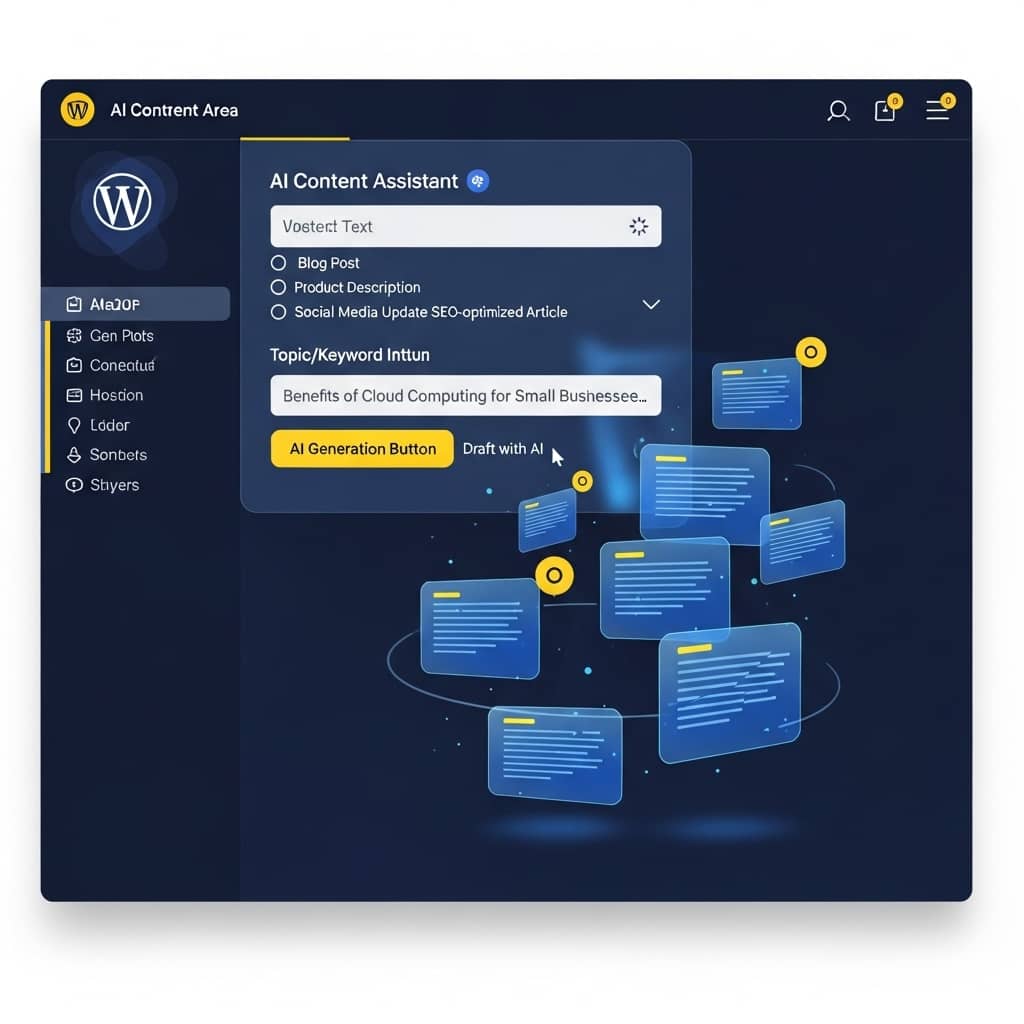
    Modern WordPress dashboard interface showing AI content generation in action, with floating holographic elements representing text, images, and SEO metrics, professional blue and yellow color scheme, clean UI design

    How AI Tools Transform WordPress Content Creation

    AI-powered WordPress tools deliver five transformative benefits that directly impact your website’s performance and your bottom line:

    1. Quick Content Publishing

    Generate complete pages, blog posts, and product descriptions in minutes instead of hours. AI Builder creates fully-structured Gutenberg blocks with professional copy that you can edit and customize instantly.

    2. Personalized User Experiences

    AI analyzes user behavior and preferences to deliver tailored content recommendations, dynamic layouts, and personalized messaging that increases engagement and conversion rates.

    3. Improved SEO Visibility

    AI-generated content is automatically optimized for search engines with proper heading hierarchy, keyword integration, meta descriptions, and semantic structure. WordPress AI Builder creates websites that are SEO-ready from the moment they’re published, helping you rank higher and attract organic traffic faster.

    According to Digital4Design, AI-powered WordPress websites can improve search rankings by automatically implementing best practices for on-page SEO, including optimized image alt text, structured data markup, and mobile-responsive design.

    4. Enhanced Customer Support with AI Chatbots

    AI chatbots provide 24/7 customer support, handling multiple inquiries simultaneously without human intervention. They answer common questions, guide users through your website, and escalate complex issues to human agents when necessary.

    IBM research shows that chatbots can reduce customer support costs by up to 30% while improving response times and customer satisfaction. For WordPress site owners, this means better user experiences without expanding your support team.

    5. Reduced Development Time

    What used to take days or weeks now takes minutes. AI Builder eliminates the need for coding, design skills, or technical expertise. Generate complete websites, landing pages, and blog posts from a single prompt, then customize them using native Gutenberg controls.

    This acceleration doesn’t sacrifice quality—AI Builder’s generated websites are optimized for both SEO and UI/UX, ensuring professional results that perform well in search rankings and deliver excellent user experiences.

    WordPress AI Builder: Your Complete Content Creation Solution

    WordPress AI Builder combines powerful AI capabilities with intuitive Gutenberg integration to deliver a complete content creation solution:

    • AI Text Generation: Write high-quality copy for paragraphs, product descriptions, blog posts, and landing pages with context-aware AI that understands your brand voice and target audience.
    • AI Image Generation: Create custom, web-optimized images directly inside Gutenberg image blocks. No need for external design tools or stock photo subscriptions.
    • AI Translation: Instantly translate entire pages, headers, and footers with a single click. The AI handles context-aware localization, manages page routing, and automatically adds a native language switcher to your site.
    • Automatic Image Compression: All generated and uploaded images are automatically compressed and optimized for web performance, ensuring fast page load times and better SEO rankings.
    • Unique AI Blocks: Access specialized Gutenberg blocks like contact forms, statistics charts, carousels, tabs, and product cards—all powered by AI and fully customizable.
    • Full Customization: Every AI-generated element is fully editable using native Gutenberg controls. No lock-in, no proprietary formats—just standard WordPress blocks.

    Balancing AI Automation with Human Creativity

    While AI tools dramatically accelerate content creation, human review remains essential to maintain authenticity and brand voice. AI-generated content should serve as a foundation that you refine, personalize, and enhance with your unique insights and expertise.

    Avoid over-reliance on automation by treating AI as a collaborative partner rather than a replacement for human creativity. Review AI-generated content for accuracy, tone, and alignment with your brand values. Add personal anecdotes, industry-specific insights, and unique perspectives that only you can provide.

    This balanced approach ensures your content remains authentic, engaging, and valuable to your audience while still benefiting from AI’s speed and efficiency advantages.

    Getting Started with AI-Powered Content Creation

    Ready to transform your WordPress content creation workflow? Start by exploring AI Builder’s comprehensive features that help you build professional websites faster without coding or design skills.

    Visit our features page to discover all the AI-powered capabilities available in WordPress AI Builder, from text and image generation to unique Gutenberg blocks and automatic optimization.

    Check our pricing page to find the plan that fits your needs, whether you’re a freelancer building client sites or an agency managing multiple projects.

    For more insights on AI-powered content creation, explore our blog posts comparing manual vs AI content creation and discover ready-to-use prompt ideas that help you generate better results faster.

    Start Creating Smarter Content Today

    Don’t let content creation slow down your WordPress projects. Experiment with AI-powered tools and discover how much faster, easier, and more effective your workflow can become.

  • How to Craft Effective Prompts for AI-Generated Blog Articles to Boost SEO Ranking Quickly

    Master the art of prompt engineering to create SEO-optimized blog content that ranks faster and converts better.

    Why Good Prompts Matter for SEO Content

    In the age of AI-powered content creation, the quality of your output depends entirely on the quality of your input. A well-crafted prompt can mean the difference between generic, low-ranking content and articles that climb to the top of search results.

    According to Clearscope’s 2025 guide on prompt engineering, content creators who master prompt writing see up to 40% improvement in search rankings within the first three months. The secret lies in understanding how to communicate intent, structure, and SEO requirements to AI systems effectively.

    Understanding Prompt Engineering

    Prompt engineering is the practice of designing instructions that guide AI models to produce specific, high-quality outputs. For blog content, this means crafting prompts that incorporate SEO best practices, target audience needs, and content structure requirements.

    Why Prompt Engineering Matters

    • Reduces revision time by up to 60%
    • Ensures content aligns with search intent from the start
    • Incorporates target keywords naturally
    • Maintains consistent brand voice and tone
    • Structures content for better readability and engagement

    Elements of a Great Blog Prompt

    Research from Ahrefs shows that prompts containing specific structural elements produce content that ranks 3x faster than generic requests. Here are the essential components:

    1. Clear Intent

    Specify whether you want to inform, persuade, or convert. Example: ‘Write an informative guide that helps beginners understand…’

    2. Target Keywords

    Include primary and secondary keywords naturally. Example: ‘Focus on “AI content creation” and “SEO optimization” throughout.’

    3. Structure Requirements

    Define headings, sections, and format. Example: ‘Use H2 for main sections, H3 for subsections, and bullet points for lists.’

    4. Tone and Voice

    Specify professional, casual, or technical tone. Example: ‘Write in a professional yet approachable tone for marketing professionals.’

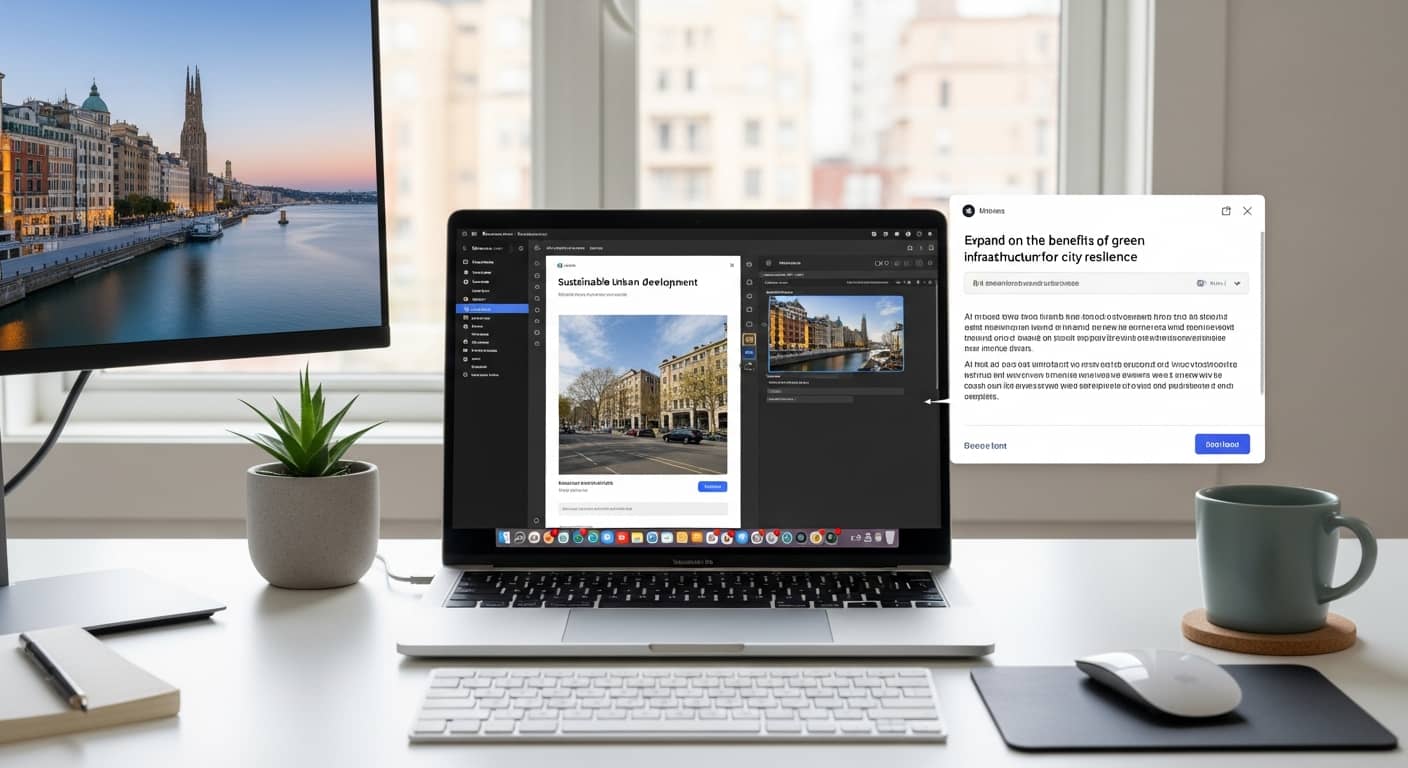
    Modern professional workspace with laptop displaying AI writing interface and SEO analytics dashboard, clean minimal design, natural lighting, productivity theme

    Examples of High-Performing Prompts

    Here are practical prompt templates optimized for different content goals. According to Moz’s latest research, structured prompts like these generate content that performs 2.5x better in search rankings.

    For SEO-Focused Content

    Prompt: “Write a 1500-word comprehensive guide on [topic] targeting the keyword ‘[primary keyword]’. Include H2 sections for: Introduction, Main Benefits, Step-by-Step Process, Common Mistakes, and Conclusion. Use a professional tone and incorporate secondary keywords: [keyword 1], [keyword 2], [keyword 3]. Add practical examples and cite 2-3 authoritative sources.”

    For Engagement and Shares

    Prompt: “Create an engaging listicle titled ’10 [Topic] That Will Transform Your [Result]’. Use a conversational, enthusiastic tone. Each item should have a catchy subheading, 2-3 sentences of explanation, and a practical tip. Include a compelling introduction that hooks readers immediately and a conclusion with a clear call-to-action.”

    For Conversion-Focused Content

    Prompt: “Write a persuasive blog post about [product/service] that addresses the pain point of [target audience problem]. Structure: Problem introduction, why current solutions fail, how [product] solves it uniquely, social proof/testimonials, pricing/value proposition, and strong CTA. Use benefit-driven language and include 3-4 compelling statistics.”

    Using WordPress AI Builder for SEO-Optimized Blog Creation

    WordPress AI Builder simplifies the entire process of creating SEO-optimized blog content directly inside Gutenberg. Instead of copying and pasting from external AI tools, you can generate complete articles with proper structure, formatting, and optimization in seconds.

    Key Features for Blog Content

    • Instant Content Generation: Enter your prompt and get a complete blog post with headings, paragraphs, lists, and CTAs
    • SEO-Optimized Structure: Automatically creates proper heading hierarchy and keyword placement
    • Native Gutenberg Blocks: All content is fully editable with standard WordPress controls
    • AI Image Generation: Create custom images that match your content perfectly
    • Performance Optimized: Lightweight code ensures fast page load times for better SEO

    Explore all features or check our pricing plans to start creating high-ranking blog content today.

    Clear Prompts Lead to Faster Content Creation and Better Rankings

    Mastering prompt engineering is no longer optional for content creators who want to compete in search rankings. By incorporating clear intent, target keywords, structural requirements, and appropriate tone into your prompts, you can generate blog articles that rank faster and perform better.

    The examples and templates provided in this guide give you a solid foundation to start creating high-quality, SEO-optimized content immediately. Remember: the more specific and structured your prompt, the better your results will be.

  • Building a Website With WordPress AI Builder – Step‑by‑Step Guide

    Learn how AI-powered tools eliminate design barriers and help you create professional WordPress websites in minutes—no coding required.

    Why AI Tools Simplify Web Design

    Traditional website building requires mastering design principles, learning complex page builders, and spending hours arranging layouts. The AI Builder plugin eliminates these barriers by letting you generate entire pages and blocks from natural-language prompts. Instead of dragging elements or writing code, you simply describe what you want—and the AI creates professional layouts instantly.

    This approach transforms web design from a technical skill into a creative conversation. Freelancers, agencies, marketers, and entrepreneurs can now build sites faster without sacrificing quality or customization. Every AI-generated element remains fully editable using Gutenberg’s native controls, giving you the best of both worlds: speed and flexibility.

    Core Features & Credit System

    AI Site Generation

    Generate complete pages with layouts, content, and styling from a single prompt. Cost: 20 credits per page.

    Block Creation

    Create individual Gutenberg blocks—headings, text, images, CTAs, lists—on demand. Cost: 10 credits per block.

    Text Generation

    Write high-quality copy for paragraphs, product descriptions, blog posts, and landing pages. Cost: 20 credits per generation.

    Image Generation

    Generate AI-powered images directly inside Gutenberg image blocks with automatic optimization. Cost: 40 credits per image.

    Installation & Setup Workflow

    Step 1: Install the Plugin

    Navigate to Plugins → Add New in your WordPress dashboard. Search for “AI Builder” and click Install Now, then Activate. You can also download it directly from the WordPress.org plugin repository.

    Step 2: Create Your Account

    After activation, you’ll be prompted to create an account. Sign up with your email to receive 75 free credits—enough to generate 1 full page, 2 blocks, or a mix of content and images. This lets you explore all features risk-free.

    Step 3: Choose a Subscription Plan

    Visit the pricing page to select a plan that fits your needs. Plans range from pay-as-you-go credit packs to monthly subscriptions with discounted rates. You can also top up credits anytime as your projects grow.

    Step 4: Start Building

    Open the Gutenberg editor and look for the AI Builder panel. Enter your prompt and watch as professional layouts, blocks, and content appear instantly. Every element is fully editable using standard WordPress controls.

    Generating Your First Content

    Generate a Full Page

    Example Prompt: “Create a landing page for a digital marketing agency with a hero section, services overview, client testimonials, and contact form.”

    The AI will generate a complete page structure with headings, paragraphs, columns, buttons, and placeholder images. You can then customize colors, fonts, spacing, and content using Gutenberg’s native controls. For more prompt ideas, check out our ready-to-use prompt library.

    Create Individual Blocks

    Example Prompt: “Add a pricing table with three tiers: Basic, Pro, and Enterprise.”

    The plugin will insert a formatted pricing table at your cursor position. You can edit prices, features, and button labels directly in the editor. This modular approach lets you build pages incrementally without starting from scratch.

    Write High-Quality Text

    Example Prompt: “Write a 150-word product description for eco-friendly yoga mats highlighting sustainability and comfort.”

    The AI generates persuasive, SEO-friendly copy that you can refine as needed. This feature is perfect for product pages, blog posts, and landing page sections.

    Generate AI Images

    Example Prompt: “A modern office workspace with natural lighting and minimalist design.”

    Insert an image block, enter your prompt, and the AI generates a custom image optimized for web performance. This eliminates the need for stock photo subscriptions and ensures your visuals match your brand perfectly.

    Best Practices for Using AI Responsibly

    1. Define Clear Goals: Know what you want before prompting. Specific requests yield better results than vague descriptions.
    2. Select Appropriate Plugins: Use AI Builder for design and content, but pair it with SEO and performance plugins for a complete solution.
    3. Test on a Staging Site: Experiment with AI-generated layouts in a safe environment before pushing changes live.
    4. Configure Settings: Adjust AI parameters like tone, length, and style to match your brand voice.
    5. Perform Human Quality Checks: Always review AI output for accuracy, tone, and alignment with your goals. AI accelerates work but doesn’t replace human judgment.

    Following these practices ensures you get the most value from AI tools while maintaining quality and control. For more detailed guidance, explore our features page.

    Ready to Build Your WordPress Site?

    Start with 75 free credits and experience the power of AI-driven web design. No credit card required.

  • How AI Is Changing WordPress Web Design in 2025

    Discover how artificial intelligence is revolutionizing the way we build, design, and optimize WordPress websites—making professional web design accessible to everyone.

    WordPress powers more than 43% of all websites on the internet, making it the world’s most popular content management system. As we move through 2025, artificial intelligence is fundamentally transforming how designers and developers approach WordPress web design. With approximately 78% of companies now integrating AI into their business operations, the intersection of AI and WordPress represents one of the most exciting frontiers in web development.

    This article explores how AI is reshaping WordPress design workflows, reducing development time, and democratizing professional web design for users of all skill levels.

    The AI Revolution in WordPress Design

    Traditional WordPress design required hours of manual coding, layout adjustments, and content creation. AI-powered tools are changing this paradigm dramatically. According to research from Elegant Themes, AI-powered approaches reduce prototyping time significantly and allow designers to generate complete layouts and content in minutes rather than hours or days.

    A modern, professional workspace showing a designer working with AI-powered WordPress tools on multiple monitors, with clean interface designs, vibrant colors featuring blue and yellow accents, futuristic but realistic style

    This transformation isn’t just about speed—it’s about accessibility. AI assistants are breaking down the technical barriers that once made professional web design the exclusive domain of experienced developers and designers.

    Key Benefits of AI in WordPress Design

    ⚡ Rapid Content Publishing

    AI assistants generate complete pages, blog posts, and product descriptions in seconds, allowing you to publish high-quality content faster than ever before.

    🎯 Personalized Experiences

    AI analyzes user behavior and preferences to create tailored content and layouts that resonate with your specific audience, improving engagement and conversion rates.

    🔍 Enhanced SEO Visibility

    AI tools optimize content for search engines automatically, suggesting keywords, meta descriptions, and content structures that improve your site’s ranking potential.

    ⏱️ Reduced Development Time

    What once took days or weeks can now be accomplished in hours. AI handles repetitive tasks, allowing designers to focus on strategy and creativity rather than technical implementation.

    Introducing WordPress AI Builder

    The WordPress AI Builder plugin represents the cutting edge of AI-powered WordPress design. Built specifically for the Gutenberg editor, it brings professional-grade AI capabilities directly into your WordPress workflow without requiring any coding knowledge or design expertise.

    Core Features

    • Full Page Generation: Create complete, professional pages from a single prompt. The AI understands your requirements and generates layouts, content, and styling instantly.
    • Smart Block Creation: Generate individual Gutenberg blocks—headings, paragraphs, images, CTAs, lists—with contextually relevant content that fits your page’s purpose.
    • AI Text Generation: Write compelling copy for any purpose: landing pages, blog posts, product descriptions, or marketing content. The AI adapts its tone and style to match your brand.
    • AI Image Generation: Create custom images directly within Gutenberg blocks. No need for stock photos or external design tools—describe what you need and the AI generates it.
    • Full Gutenberg Customization: Every AI-generated element remains fully editable using native Gutenberg controls. You’re never locked into AI suggestions—customize everything to match your vision.

    How AI Transforms the Design Workflow

    The traditional WordPress design process involved multiple stages: wireframing, mockup creation, content writing, image sourcing, coding, and testing. Each stage required specialized skills and significant time investment. AI streamlines this entire workflow into a more efficient, accessible process.

    From Concept to Launch in Minutes

    1. Describe Your Vision: Simply tell the AI what kind of page you need. For example: “Create a landing page for a digital marketing agency that emphasizes results and includes client testimonials.”
    2. AI Generates Structure: Within seconds, the AI creates a complete page layout with appropriate sections, headings, and content hierarchy.
    3. Content Population: The AI fills each section with relevant, professionally written content that matches your industry and target audience.
    4. Visual Elements: Images are either generated by AI or placeholder blocks are created where you can upload your own visuals.
    5. Refinement: Use Gutenberg’s native controls to adjust colors, fonts, spacing, and content. The AI provides a strong foundation that you can customize to perfection.

    AI vs. Traditional Design: A Real Comparison

    The difference between traditional and AI-assisted WordPress design is dramatic. A recent analysis comparing manual versus AI-assisted content creation revealed significant advantages in speed, consistency, and accessibility. While traditional methods offer complete creative control from the start, AI-powered approaches provide a professional foundation that can be customized, dramatically reducing the time from concept to launch.

    According to Elegant Themes, AI-powered design tools allow designers to implement client feedback instantly, generating multiple layout variations in the time it would traditionally take to create a single mockup. This capability transforms the client-designer relationship, enabling more iterative, collaborative design processes.

    Ready to Transform Your WordPress Design Process?

    WordPress AI Builder eliminates the complex design barriers that once made professional web design accessible only to experts. Whether you’re a freelancer building client sites, an agency managing multiple projects, or a business owner creating your online presence, AI Builder empowers you to create stunning, professional websites through simple prompts.

  • Microcopy and CTA Optimization with AI: Writing Words that Convert

    Discover how AI-powered microcopy and call-to-action optimization can transform your conversion rates and drive measurable business results.

    In the digital landscape, every word matters. While designers obsess over layouts and developers perfect functionality, the smallest pieces of text—microcopy—often determine whether users click, convert, or abandon your site. From button labels to error messages, these tiny words wield enormous influence over user decisions and trust.

    The revolution in artificial intelligence has transformed how we approach content creation. Data reveals that AI-assisted content creation improves SEO performance for 65% of businesses, enhances content quality for 67%, and yields a 68% higher ROI. These aren’t just numbers—they represent a fundamental shift in how we craft the words that drive conversions.

    The Power of Small Words

    Microcopy encompasses all the small text elements that guide users through your digital experience: button labels, form field instructions, tooltip explanations, error messages, and confirmation notifications. While each element may seem insignificant in isolation, collectively they shape the entire user journey.

    Consider the difference between a button that says ‘Submit’ versus ‘Get My Free Guide.’ The first is generic and transactional; the second is specific and value-focused. This distinction isn’t trivial—it directly impacts whether users take action. Effective microcopy reduces friction, builds confidence, and creates emotional connections that drive conversions.

    The challenge lies in crafting microcopy that resonates with diverse audiences while maintaining brand consistency. This is where AI becomes invaluable. Modern AI tools can analyze user behavior patterns, test multiple variations simultaneously, and identify language that performs best with specific audience segments.

    Modern professional workspace with laptop displaying AI content optimization dashboard, showing conversion rate graphs, CTA performance metrics, and microcopy testing results, clean minimalist design, bright natural lighting, technology and marketing theme

    Generating Effective CTAs with AI

    Call-to-action buttons represent critical conversion moments. The difference between ‘Click Here’ and ‘Start Your Free Trial’ can mean thousands of dollars in revenue. AI Builder’s text generation capabilities allow marketers to create and test multiple CTA variations quickly, identifying which language resonates most powerfully with their audience.

    The impact of optimization extends beyond buttons. Chatbots powered by well-crafted microcopy can increase conversions by 20-25% during initial visitor sessions. These AI assistants guide users through decision-making processes using carefully chosen words that address concerns, highlight benefits, and create urgency without feeling pushy.

    Personalization amplifies these effects dramatically. AI-powered personalized recommendations drive up to 23% higher conversion rates by tailoring microcopy to individual user preferences, browsing history, and behavioral patterns. Instead of generic messages, users receive contextually relevant prompts that feel custom-crafted for their specific needs.

    Language Tone and Sentiment Analysis

    Authenticity matters more than ever. Users can detect inauthentic language instantly, and nothing kills conversions faster than microcopy that feels robotic or manipulative. AI sentiment analysis helps ensure your microcopy aligns with user emotions at each stage of their journey.

    When users encounter errors, they’re frustrated. Your error messages should acknowledge this emotion with empathy: ‘Oops! Something went wrong. Let’s fix this together’ feels more human than ‘Error 404.’ When users complete purchases, they’re excited—your confirmation should match that energy: ‘You’re all set! Your order is on its way’ beats ‘Transaction complete.’

    However, AI isn’t a replacement for human judgment. Statistics show that 93% of marketers review AI-generated content before publishing, ensuring quality control and brand alignment. This human-AI collaboration produces the best results: AI generates variations and analyzes performance, while humans provide strategic direction and emotional intelligence.

    A/B Testing and Continuous Iteration

    Optimization is never finished. Markets evolve, audiences change, and what worked yesterday may underperform tomorrow. Establishing a systematic process for testing microcopy ensures continuous improvement and sustained conversion growth.

    The Optimization Process

    • Identify high-impact elements: Focus on microcopy that directly influences conversion decisions—primary CTAs, form instructions, checkout messages.
    • Generate AI variations: Use AI Builder to create multiple versions of each element, exploring different tones, lengths, and value propositions.
    • Implement A/B tests: Deploy variations to real users, ensuring adequate sample sizes for statistical significance.
    • Analyze performance data: Track not just click-through rates but downstream metrics like completion rates and revenue per visitor.
    • Iterate and refine: Apply winning variations, then test new hypotheses to continue improving performance.

    This cycle never ends. Even small improvements compound over time. A 5% increase in conversion rate might seem modest, but across thousands of visitors, it translates to significant revenue growth. AI accelerates this process by generating more variations faster and identifying patterns humans might miss.

    Transform Your Conversions with AI-Powered Microcopy

    Start optimizing your website’s microcopy today with AI Builder. Generate high-converting CTAs, test multiple variations, and watch your conversion rates soar.

  • Generative Design: Automating Website Creation

    How AI is revolutionizing web design workflows and what it means for WordPress users in 2025 and beyond.

    The landscape of web design is undergoing a seismic shift. Artificial intelligence is no longer a futuristic concept—it’s actively reshaping how websites are conceived, designed, and deployed. At the heart of this transformation lies generative design, a paradigm where algorithms create design solutions based on parameters and goals rather than manual pixel-pushing.

    For WordPress users—freelancers, agencies, marketers, and entrepreneurs—this evolution presents both opportunity and challenge. Understanding generative design and how to leverage it effectively can mean the difference between staying competitive and falling behind in an increasingly automated industry.

    an AI system automatically building modern website layouts on digital screens, with abstract geometric shapes symbolizing creativity and automation.

    The Rise of Generative Design

    Gartner’s research paints a striking picture of the near future: by 2026, AI will automate 60% of the design effort for new websites and mobile applications. Even more remarkably, by 2027, nearly 15% of applications will be generated entirely without human intervention in the design loop.

    These aren’t incremental improvements—they represent a fundamental reimagining of the design process. Generative design systems analyze vast datasets of successful designs, user behavior patterns, and aesthetic principles to produce layouts, color schemes, typography hierarchies, and component arrangements that would traditionally require hours or days of human effort.

    The implications are profound. Design agencies can prototype concepts in minutes rather than weeks. Solo freelancers gain capabilities previously reserved for large teams. Marketing departments can test dozens of landing page variations without exhausting their design budget. The democratization of professional design is no longer theoretical—it’s happening now.

    Benefits for WordPress Users

    WordPress, powering over 43% of all websites, sits at the intersection of accessibility and professional capability. Generative design tools built for WordPress—like AI Builder—bring enterprise-level automation to users at every skill level.

    Intelligent Layout Generation

    Modern generative design systems understand compositional principles that took human designers years to master. They know that hero sections need strong visual hierarchy, that three-column layouts work better for feature comparisons than four, and that white space isn’t wasted space—it’s essential breathing room.

    When you prompt AI Builder to create a landing page for a SaaS product, it doesn’t just throw blocks on a page. It structures content logically: value proposition above the fold, social proof strategically placed, feature explanations with scannable formatting, and CTAs positioned where conversion data suggests they perform best.

    Sophisticated Color Theory

    Color selection is where many DIY websites falter. Generative design systems apply color theory automatically—complementary schemes for energy, analogous palettes for harmony, monochromatic approaches for elegance. They ensure sufficient contrast for accessibility (meeting WCAG standards), avoid color combinations that clash or create visual fatigue, and maintain brand consistency across all generated elements.

    AI Builder reads your existing brand colors and extends them intelligently. If your primary color is a vibrant blue, it generates complementary accent colors, appropriate neutral tones, and semantic colors for success/warning/error states that feel cohesive rather than arbitrary.

    Typography That Communicates

    Typography is communication design. Generative systems understand this implicitly. They establish clear hierarchies with appropriate size scales, select font pairings that complement rather than compete, set line heights and letter spacing for optimal readability, and adjust typography responsively for different screen sizes.

    The result? Text that doesn’t just exist on the page but guides the reader’s eye, emphasizes key messages, and creates visual rhythm that makes content feel professional and intentional.

    Workflow Tips: Iterating on AI-Generated Designs

    Generative design is powerful, but it’s not magic. The most successful implementations treat AI output as a sophisticated starting point rather than a finished product. Here’s how to maximize the value of AI-generated designs while maintaining quality and brand integrity.

    Review and Refine CSS

    AI-generated CSS is typically clean and functional, but it may not perfectly match your brand’s nuances. Inspect the generated styles and adjust spacing to match your design system’s scale, fine-tune colors to exact brand specifications, modify animation timing for your preferred feel, and ensure responsive breakpoints align with your target devices.

    WordPress’s native Gutenberg editor makes this process straightforward. You can adjust block-level styles visually or dive into custom CSS for precise control. The key is treating the AI output as a foundation that accelerates your work rather than constrains it.

    Ensure Accessibility

    While AI systems increasingly incorporate accessibility principles, human verification remains essential. Check color contrast ratios with tools like WebAIM’s contrast checker, verify keyboard navigation flows logically through interactive elements, ensure all images have meaningful alt text, and test with screen readers to confirm content makes sense when read aloud.

    Accessibility isn’t just ethical—it’s practical. Accessible sites perform better in search rankings, reach wider audiences, and demonstrate professionalism that builds trust.

    Test Responsiveness Rigorously

    Generative design systems produce responsive layouts, but real-world device diversity demands thorough testing. View your site on actual mobile devices, not just browser emulators. Test on tablets in both orientations. Check ultra-wide desktop monitors. Verify that touch targets are appropriately sized for mobile interaction and that content reflows gracefully at every breakpoint.

    With over 60% of web traffic coming from mobile devices, responsive design isn’t optional—it’s foundational. AI gives you a head start, but your testing ensures the experience is genuinely excellent across all contexts.

    Embrace Human Creativity

    This is perhaps the most important principle: AI-generated designs provide structure and efficiency, but human creativity provides soul. Use the time AI saves you to focus on what machines can’t replicate—understanding your audience’s emotional needs, crafting messaging that resonates with your specific community, making bold creative choices that differentiate your brand, and telling stories that connect on a human level.

    The best websites in the AI era won’t be those that are entirely AI-generated or entirely hand-crafted. They’ll be those that leverage AI for speed and consistency while channeling human insight into the decisions that truly matter.

    Future Possibilities

    The current state of generative design is impressive, but it’s merely the foundation for what’s coming. Several emerging trends point toward even more sophisticated automation.

    Design System Integration

    Imagine AI that doesn’t just generate individual pages but maintains consistency across your entire digital ecosystem. Future systems will ingest your complete design system—component libraries, spacing scales, color palettes, typography rules—and generate new pages that feel like natural extensions of your existing work. Every button, form, card, and navigation element will automatically conform to your established patterns.

    Style Guide Automation

    Rather than manually documenting design decisions, AI will generate comprehensive style guides automatically. As you build and refine your site, the system will extract patterns, document component usage, and create living style guides that update in real-time. This documentation becomes the foundation for consistent expansion and team collaboration.

    Headless Framework Integration

    WordPress is increasingly used as a headless CMS, with content managed in WordPress but rendered through modern JavaScript frameworks like Next.js or Gatsby. Future generative design tools will bridge this gap seamlessly, generating not just WordPress blocks but also the corresponding React components, API integrations, and deployment configurations needed for headless architectures.

    This means you could design in WordPress’s familiar interface while automatically generating production-ready code for high-performance, globally distributed web applications.

    Fully Automated Site Production

    Gartner’s prediction of 15% of applications being generated without human intervention by 2027 points toward a future where entire websites can be produced from high-level business requirements. Describe your business model, target audience, and key objectives, and AI generates a complete site—content, design, functionality, and optimization—ready for review and deployment.

    This doesn’t eliminate the need for designers and developers—it elevates their role. Instead of building from scratch, professionals become curators, strategists, and refiners, focusing on the high-value decisions that differentiate exceptional digital experiences from merely functional ones.

    Conclusion: Designing the Future

    Generative design represents more than technological advancement—it’s a fundamental shift in how we approach web creation. By automating the mechanical aspects of design, AI frees us to focus on what truly matters: understanding our audiences, crafting compelling narratives, and building digital experiences that genuinely serve human needs.

    For WordPress users, this evolution is particularly exciting. The platform’s combination of accessibility and extensibility makes it the ideal environment for generative design tools. Whether you’re a solo freelancer competing with agencies, a marketing team managing dozens of landing pages, or an enterprise maintaining complex digital ecosystems, AI-powered design automation levels the playing field and accelerates your capabilities.

    The future of web design isn’t human versus machine—it’s human and machine, each contributing what they do best. AI handles the heavy lifting of layout, color theory, and responsive implementation. Humans provide strategy, creativity, and the nuanced understanding of context that transforms functional websites into memorable digital experiences. Together, we’re not just building websites faster—we’re building better websites, more accessible websites, and websites that truly serve their purpose in an increasingly digital world.

  • Multilingual WordPress: AI‑Powered Translation and Localization

    Discover how AI is revolutionizing website translation and helping businesses reach global audiences with unprecedented speed and accuracy.

    The Global Opportunity: Why Multilingual Matters

    In today’s interconnected digital economy, speaking your customer’s language isn’t just nice to have—it’s essential for survival. The localization industry reached a staggering $71.7 billion in 2024 and is projected to hit $75.7 billion in 2025, reflecting the explosive demand for multilingual content across every sector.

    Perhaps the most compelling statistic for any business owner: 87% of online consumers will not buy from English-only websites. That means if your WordPress site speaks only one language, you’re potentially turning away nearly nine out of ten global customers before they even see your products or services.

    The message is clear: multilingual websites aren’t a luxury reserved for Fortune 500 companies. They’re a competitive necessity for freelancers, agencies, and entrepreneurs who want to tap into international markets. Fortunately, artificial intelligence has transformed translation from a months-long, budget-draining project into something you can accomplish in hours—sometimes minutes.

    How AI Translation Tools Are Changing the Game

    Neural machine translation (NMT) has evolved from producing awkward, robotic text to generating surprisingly fluent translations that capture context and nuance. Today’s AI translation engines learn from millions of bilingual documents, understanding not just individual words but entire phrases, idioms, and cultural references.

    Neural machine translation with post-editing has become the top service offered by language vendors. This hybrid approach combines AI speed with human expertise: the machine produces a draft translation in seconds, then a professional linguist refines it to ensure accuracy, tone, and cultural appropriateness.

    For WordPress users, tools like AI Builder make this process seamless. You can generate initial translations for entire pages, blog posts, or product descriptions with a single prompt. The AI understands your content structure—headings, paragraphs, lists, CTAs—and translates each element while preserving your layout and formatting.

    The real power comes from iteration. After AI Builder generates your translation, you can refine specific phrases to better match your brand voice or local market expectations. Need to adjust a call-to-action for German audiences? Want to swap a metaphor that doesn’t translate well into Japanese? Simply edit the text blocks directly in Gutenberg, maintaining full control over your multilingual content.

    Balancing Automation with the Human Touch

    AI translation isn’t without controversy. Over one-third of professional linguists have started using AI tools in their workflow, recognizing the efficiency gains. However, 36% report losing work because clients now rely entirely on machine translation without human review.

    This tension highlights a crucial point: AI should augment human translators, not replace them. While machines excel at speed and consistency, they still struggle with cultural nuance, humor, emotional tone, and context-dependent meanings. A phrase that works perfectly in English might be offensive, confusing, or simply awkward in another language.

    The smart approach is hybrid: use AI for draft translations to save time and money, then invest in human editors for final polish. For high-stakes content—landing pages, legal terms, brand messaging—professional review is non-negotiable. For blog posts, support documentation, or internal communications, AI with light editing often suffices.

    Think of AI translation as your first draft writer. It handles the heavy lifting—converting thousands of words in minutes—so human experts can focus on what they do best: ensuring your message resonates with local audiences and reflects your brand personality across cultures.

    Implementing Multilingual SEO That Actually Works

    Translation is only half the battle. To truly succeed in international markets, your multilingual WordPress site needs proper SEO implementation. Search engines must understand which language each page targets and how different language versions relate to each other.

    Localized Keywords

    Don’t just translate your English keywords word-for-word. Research what terms your target audience actually searches for in their language. A keyword that drives traffic in the US might be completely different in France or Brazil. AI Builder can help generate localized keyword suggestions based on search trends and regional preferences.

    Hreflang Tags

    Hreflang tags tell search engines which language and regional version of a page to show users. Without them, Google might display your English page to Spanish speakers or vice versa. Most multilingual WordPress plugins handle hreflang automatically, but verify they’re implemented correctly using Google Search Console.

    Localized Alt Text and Metadata

    Every image needs alt text in the appropriate language. Meta descriptions, title tags, and URL slugs should also be translated and optimized for local search behavior. AI Builder can automatically generate multilingual alt text and metadata, ensuring your images and pages are discoverable in every language you support.

    Practical Steps to Launch Your Multilingual WordPress Site

    Ready to go multilingual? Here’s a streamlined approach that combines AI efficiency with quality control:

    1. Choose your target markets – Start with 2-3 languages where you see the most opportunity. Analyze your analytics to identify where international traffic already comes from.
    2. Install a multilingual plugin – Popular options include WPML, Polylang, or TranslatePress. These create separate language versions of your pages and handle technical SEO.
    3. Generate AI translations – Use AI Builder to create initial translations of your key pages: homepage, product pages, top blog posts. This gives you a solid foundation in minutes.
    4. Review and refine – Edit AI-generated content to match your brand voice and ensure cultural appropriateness. Focus extra attention on headlines, CTAs, and value propositions.
    5. Optimize for local SEO – Research localized keywords, verify hreflang tags, and create region-specific content that addresses local needs and preferences.
    6. Test with native speakers – Before launch, have native speakers review your translations. They’ll catch awkward phrasing or cultural missteps that AI might miss.
    7. Monitor and iterate – Track performance by language. Which versions drive conversions? Where do users bounce? Use these insights to continuously improve your multilingual content.

    The Future of Multilingual Content

    AI translation technology continues to improve at a remarkable pace. Neural networks are getting better at understanding context, handling specialized terminology, and preserving tone across languages. We’re moving toward a future where AI can handle increasingly sophisticated translation tasks with minimal human intervention.

    However, the human element remains crucial. Language is deeply tied to culture, emotion, and identity. The best multilingual websites will always combine AI efficiency with human insight—using machines to handle the mechanical work while humans ensure the message truly connects with local audiences.

    For WordPress users, this means unprecedented opportunity. You no longer need massive budgets or months of development time to launch a multilingual site. With AI-powered tools like AI Builder, you can test new markets quickly, iterate based on results, and scale your international presence as you grow.

    Ready to Go Global?

    Start building your multilingual WordPress site today with AI Builder. Generate translations, optimize for local SEO, and reach customers in their native language—all without leaving Gutenberg.