Category: Uncategorized

  • Magie visuelle vs puissance de traitement : Elementor AI vs AI Builder

    Magie visuelle vs puissance de traitement : Elementor AI vs AI Builder pour WordPress

    Une comparaison nuancée de deux approches alimentées par l’IA pour le développement WordPress : accélération visuelle par rapport à la performance structurée.

    Deux philosophies, un objectif : de meilleurs sites WordPress

    La révolution de l’IA WordPress est arrivée, mais tous les outils ne prennent pas la même approche. Elementor AI apporte la magie visuelle au constructeur de pages populaire, générant du texte, des images et du code dans une interface familière de glisser-déposer. Il est conçu pour la vitesse et la liberté créative, parfait pour les indépendants et les agences qui ont besoin de délais rapides.

    AI Builder emprunte un chemin différent : génération de contenu structurée et axée sur la performance utilisant les blocs Gutenberg natifs. Pas de dépendances propriétaires, pas de verrouillage des fournisseurs, et pas de pénalités de performance. Il est conçu pour les entreprises qui privilégient l’évolutivité, la maintenabilité et la conformité aux Core Web Vitals.

    Cette comparaison explore les deux outils honnêtement, reconnaissant les forces créatives d’Elementor AI tout en soulignant pourquoi AI Builder peut être le choix plus intelligent pour les projets WordPress sérieux et à long terme.

    Elementor AI : accélération visuelle à portée de main

    Elementor AI s’intègre directement dans l’éditeur Elementor, offrant une génération de contenu instantanée sans quitter votre flux de travail. Écrivez des copies convaincantes, générez des images personnalisées et créez même des extraits de code CSS, tous alimentés par des crédits IA achetés via le modèle d’abonnement d’Elementor.

    Pour les indépendants et les petites agences, c’est un changement de jeu. L’interface visuelle réduit les barrières techniques, et l’assistant IA aide à surmonter les blocages créatifs. Vous pouvez créer des prototypes de pages de destination en minutes, expérimenter différentes mises en page et livrer les projets clients plus rapidement que jamais.

    Avantages clés

    • Intégration transparente avec l’interface glisser-déposer d’Elementor
    • Génération instantanée de texte, d’images et de code dans l’éditeur
    • Courbe d’apprentissage faible pour les utilisateurs existants d’Elementor
    • Capacités de prototypage rapide et de présentation client
    • Système de crédit IA unifié pour toutes les fonctionnalités

    Les coûts cachés : les compromis de performance d’Elementor AI

    Bien qu’Elementor AI excelle dans la création visuelle, il hérite des défis de performance bien documentés d’Elementor. Chaque page construite avec Elementor AI charge du CSS supplémentaire, du JavaScript et du traitement des codes courts, même pour les mises en page simples. Ce surpoids impacte directement les Core Web Vitals, un facteur de classement Google critique.

    Le problème du verrouillage des fournisseurs est tout aussi grave. Le contenu créé avec Elementor AI est stocké dans des codes courts propriétaires et des métadonnées de publication personnalisées. Passer à un autre constructeur ou aux blocs WordPress natifs nécessite une migration manuelle, un processus coûteux et chronophage que de nombreux propriétaires de sites découvrent trop tard.

    Pour les clients d’entreprise et les développeurs conscients de la performance, ces limitations peuvent l’emporter sur la commodité visuelle. Les sites avec des volumes de trafic élevés ou des exigences SEO strictes ont souvent du mal à respecter les critères de performance de Google tout en utilisant Elementor.

    Limitations critiques

    • Surcharge de code importante affectant les temps de chargement des pages et les Core Web Vitals
    • Le format de code court propriétaire crée un verrouillage des fournisseurs
    • Chemin de migration difficile vers WordPress natif ou d’autres constructeurs
    • Requêtes HTTP supplémentaires et surcharge CSS/JS sur chaque page
    • Pénalités SEO dues aux mauvais scores de performance

    AI Builder : intelligence structurée pour WordPress

    AI Builder adopte une approche fondamentalement différente : générer des blocs Gutenberg natifs et propres qui fonctionnent avec n’importe quel thème WordPress. Pas de dépendances propriétaires, pas de surcharge de performance, et portabilité complète du contenu. Votre contenu reste le vôtre, au format WordPress standard.

    Le plugin se connecte aux serveurs IA distants (OpenAI/Anthropic) sans stocker votre contenu ou votre IP. Il est conforme au RGPD par conception, avec un niveau gratuit généreux et une sortie commercialement réutilisable. Pour les développeurs et les agences gérant plusieurs sites clients, cela signifie une performance prévisible et zéro tracas de migration.

    Parce qu’AI Builder génère des blocs standard, vos pages se chargent plus rapidement, se classent mieux et restent maintenables à long terme. Changez de thème, mettez à jour WordPress ou confiez des projets à d’autres développeurs, tout fonctionne simplement.

    Avantages principaux

    • Blocs Gutenberg natifs sans dépendances propriétaires
    • Excellente performance des Core Web Vitals et du SEO
    • Portabilité complète du contenu et indépendance du thème
    • Conforme au RGPD sans stockage de contenu sur des serveurs externes
    • Niveau gratuit avec sortie commercialement réutilisable
    • Maintenabilité et évolutivité à long terme

    Faire le bon choix pour vos projets WordPress

    Elementor AI mérite d’être reconnu pour avoir démocratisé la conception alimentée par l’IA. Son interface visuelle et ses capacités de génération instantanée en font un excellent outil pour les indépendants, les petites agences et les projets où la vitesse prime sur les considérations à long terme. Si vous êtes déjà investi dans l’écosystème Elementor et avez besoin de délais rapides, c’est un choix naturel.

    Cependant, pour les sites Web d’entreprise sérieux, les plateformes de commerce électronique et les projets évolutifs, AI Builder offre un chemin plus durable. Son accent sur la performance, la portabilité et le code conforme aux normes signifie que vos sites se chargeront plus rapidement, se classeront mieux et resteront maintenables à mesure que votre entreprise se développe. L’absence de verrouillage des fournisseurs protège votre investissement et vous donne la véritable propriété de votre contenu.

    Le choix dépend en fin de compte de vos priorités : magie visuelle et prototypage rapide, ou puissance de traitement et performance à long terme. Pour la plupart des développeurs WordPress professionnels et des agences, l’approche structurée d’AI Builder offre un meilleur ROI et moins de tracas à long terme.
  • विजुअल मैजिक बनाम प्रोसेस पावर: Elementor AI बनाम AI Builder

    विजुअल मैजिक बनाम प्रोसेस पावर: WordPress के लिए Elementor AI बनाम AI Builder

    WordPress विकास के लिए दो AI-संचालित दृष्टिकोणों की सूक्ष्म तुलना: विजुअल एक्सेलेरेशन बनाम संरचित परफॉर्मेंस।

    दो दर्शन, एक लक्ष्य: बेहतर WordPress साइटें

    WordPress AI क्रांति आ गई है, लेकिन सभी टूल एक ही दृष्टिकोण नहीं लेते। Elementor AI लोकप्रिय पेज बिल्डर में विजुअल मैजिक लाता है, परिचित ड्रैग-एंड-ड्रॉप इंटरफेस के भीतर टेक्स्ट, इमेज और कोड जेनरेट करता है। यह गति और रचनात्मक स्वतंत्रता के लिए डिज़ाइन किया गया है, फ्रीलांसरों और एजेंसियों के लिए परफेक्ट जिन्हें तेजी से टर्नअराउंड की जरूरत है।

    AI Builder एक अलग रास्ता लेता है: नेटिव Gutenberg ब्लॉक्स का उपयोग करके संरचित, परफॉर्मेंस-फर्स्ट कंटेंट जेनरेशन। कोई मालिकाना निर्भरता नहीं, कोई विक्रेता लॉक-इन नहीं, और कोई परफॉर्मेंस पेनल्टी नहीं। यह उन व्यवसायों के लिए बनाया गया है जो स्केलेबिलिटी, रखरखाव और Core Web Vitals अनुपालन को प्राथमिकता देते हैं।

    यह तुलना दोनों टूल्स को ईमानदारी से देखती है, Elementor AI की रचनात्मक शक्तियों को स्वीकार करते हुए और यह हाइलाइट करते हुए कि गंभीर, दीर्घकालीन WordPress प्रोजेक्ट्स के लिए AI Builder क्यों स्मार्ट विकल्प हो सकता है।

    Elementor AI: आपकी उंगलियों पर विजुअल एक्सेलेरेशन

    Elementor AI सीधे Elementor एडिटर में एकीकृत होता है, आपके वर्कफ़्लो को छोड़े बिना तत्काल कंटेंट जेनरेशन प्रदान करता है। आकर्षक कॉपी लिखें, कस्टम इमेज जेनरेट करें, और यहां तक कि CSS कोड स्निपेट्स भी बनाएं—सब कुछ Elementor की सदस्यता मॉडल के माध्यम से खरीदे गए AI क्रेडिट द्वारा संचालित।

    फ्रीलांसरों और छोटी एजेंसियों के लिए, यह गेम-चेंजर है। विजुअल इंटरफेस तकनीकी बाधाओं को कम करता है, और AI असिस्टेंट रचनात्मक ब्लॉक्स को दूर करने में मदद करता है। आप मिनटों में लैंडिंग पेज प्रोटोटाइप कर सकते हैं, विभिन्न लेआउट के साथ प्रयोग कर सकते हैं, और पहले से कहीं अधिक तेजी से क्लाइंट प्रोजेक्ट्स डिलीवर कर सकते हैं।

    मुख्य लाभ

    • Elementor के ड्रैग-एंड-ड्रॉप इंटरफेस के साथ सहज एकीकरण
    • एडिटर के भीतर तत्काल टेक्स्ट, इमेज और कोड जेनरेशन
    • मौजूदा Elementor उपयोगकर्ताओं के लिए कम सीखने की अवस्था
    • तेजी से प्रोटोटाइपिंग और क्लाइंट प्रेजेंटेशन क्षमताएं
    • सभी फीचर्स के लिए यूनिफाइड AI क्रेडिट सिस्टम

    छिपी हुई लागतें: Elementor AI के परफॉर्मेंस ट्रेड-ऑफ्स

    जबकि Elementor AI विजुअल क्रिएशन में उत्कृष्ट है, यह Elementor की अच्छी तरह से प्रलेखित परफॉर्मेंस चुनौतियों को विरासत में लेता है। Elementor के साथ बनाया गया हर पेज अतिरिक्त CSS, JavaScript और शॉर्टकोड प्रोसेसिंग लोड करता है—यहां तक कि सरल लेआउट के लिए भी। यह ब्लोट सीधे Core Web Vitals को प्रभावित करता है, जो एक महत्वपूर्ण Google रैंकिंग फैक्टर है।

    विक्रेता लॉक-इन समस्या समान रूप से गंभीर है। Elementor AI के साथ बनाया गया कंटेंट मालिकाना शॉर्टकोड और कस्टम पोस्ट मेटा में संग्रहीत है। किसी अन्य बिल्डर या नेटिव WordPress ब्लॉक्स में स्विच करने के लिए मैनुअल माइग्रेशन की आवश्यकता है—एक महंगी, समय लेने वाली प्रक्रिया जो कई साइट मालिकों को बहुत देर से पता चलती है।

    एंटरप्राइज क्लाइंट्स और परफॉर्मेंस-सचेत डेवलपर्स के लिए, ये सीमाएं विजुअल सुविधा को कम कर सकती हैं। उच्च ट्रैफिक वॉल्यूम या कड़ी SEO आवश्यकताओं वाली साइटें अक्सर Elementor का उपयोग करते समय Google के परफॉर्मेंस बेंचमार्क को पूरा करने में संघर्ष करती हैं।

    महत्वपूर्ण सीमाएं

    • पेज लोड समय और Core Web Vitals को प्रभावित करने वाला भारी कोड ब्लोट
    • मालिकाना शॉर्टकोड फॉर्मेट विक्रेता लॉक-इन बनाता है
    • नेटिव WordPress या अन्य बिल्डर्स में माइग्रेशन का कठिन रास्ता
    • हर पेज पर अतिरिक्त HTTP अनुरोध और CSS/JS ओवरहेड
    • खराब परफॉर्मेंस स्कोर से SEO पेनल्टी

    AI Builder: WordPress के लिए संरचित बुद्धिमत्ता

    AI Builder एक मौलिक रूप से अलग दृष्टिकोण लेता है: स्वच्छ, नेटिव Gutenberg ब्लॉक्स जेनरेट करें जो किसी भी WordPress थीम के साथ काम करते हैं। कोई मालिकाना निर्भरता नहीं, कोई परफॉर्मेंस ओवरहेड नहीं, और पूर्ण कंटेंट पोर्टेबिलिटी। आपका कंटेंट आपका रहता है, मानक WordPress फॉर्मेट में।

    प्लगइन रिमोट AI सर्वर्स (OpenAI/Anthropic) से जुड़ता है बिना आपके कंटेंट या IP को स्टोर किए। यह डिज़ाइन द्वारा GDPR-अनुपालन है, उदार फ्री टियर और वाणिज्यिक रूप से पुन: प्रयोज्य आउटपुट के साथ। कई क्लाइंट साइट्स को प्रबंधित करने वाले डेवलपर्स और एजेंसियों के लिए, इसका मतलब है अनुमानित परफॉर्मेंस और शून्य माइग्रेशन सिरदर्द।

    क्योंकि AI Builder मानक ब्लॉक्स जेनरेट करता है, आपके पेज तेजी से लोड होते हैं, बेहतर रैंक करते हैं, और दीर्घकालीन रखरखाव योग्य रहते हैं। थीम स्विच करें, WordPress अपडेट करें, या प्रोजेक्ट्स को अन्य डेवलपर्स को हस्तांतरित करें—सब कुछ बस काम करता है।

    मुख्य लाभ

    • शून्य मालिकाना निर्भरता के साथ नेटिव Gutenberg ब्लॉक्स
    • उत्कृष्ट Core Web Vitals और SEO परफॉर्मेंस
    • पूर्ण कंटेंट पोर्टेबिलिटी और थीम स्वतंत्रता
    • GDPR-अनुपालन बाहरी सर्वर्स पर कोई कंटेंट स्टोरेज नहीं
    • वाणिज्यिक रूप से पुन: प्रयोज्य आउटपुट के साथ फ्री टियर
    • दीर्घकालीन रखरखाव और स्केलेबिलिटी

    आपकी WordPress प्रोजेक्ट्स के लिए सही विकल्प बनाना

    Elementor AI को AI-संचालित डिज़ाइन को लोकतांत्रिक बनाने के लिए मान्यता दी जानी चाहिए। इसका विजुअल इंटरफेस और तत्काल जेनरेशन क्षमताएं इसे फ्रीलांसरों, छोटी एजेंसियों और प्रोजेक्ट्स के लिए एक उत्कृष्ट टूल बनाती हैं जहां गति दीर्घकालीन विचारों को हराती है। यदि आप पहले से ही Elementor इकोसिस्टम में निवेश किए हुए हैं और तेजी से टर्नअराउंड की जरूरत है, तो यह एक प्राकृतिक फिट है।

    हालांकि, गंभीर व्यावसायिक वेबसाइटों, ई-कॉमर्स प्लेटफॉर्म्स और स्केलेबल प्रोजेक्ट्स के लिए, AI Builder एक अधिक टिकाऊ रास्ता प्रदान करता है। परफॉर्मेंस, पोर्टेबिलिटी और मानक-अनुपालन कोड पर इसका ध्यान मतलब है कि आपकी साइटें तेजी से लोड होंगी, बेहतर रैंक करेंगी, और जैसे-जैसे आपका व्यवसाय बढ़ता है, रखरखाव योग्य रहेंगी। विक्रेता लॉक-इन की अनुपस्थिति आपके निवेश की रक्षा करती है और आपको अपने कंटेंट का सच्चा स्वामित्व देती है।

    विकल्प अंततः आपकी प्राथमिकताओं पर निर्भर करता है: विजुअल मैजिक और तेजी से प्रोटोटाइपिंग, या प्रोसेस पावर और दीर्घकालीन परफॉर्मेंस। अधिकांश पेशेवर WordPress डेवलपर्स और एजेंसियों के लिए, AI Builder का संरचित दृष्टिकोण बेहतर ROI और भविष्य में कम सिरदर्द प्रदान करता है।

  • 视觉魔法 vs 处理能力:Elementor AI vs AI Builder

    WordPress 视觉魔法 vs 处理能力:Elementor AI vs AI Builder

    两种 AI 驱动的 WordPress 开发方法的细致比较:视觉加速与结构化性能。

    两种理念,一个目标:更好的 WordPress 网站

    WordPress AI 革命已经到来,但并非所有工具都采用相同的方法。Elementor AI 为流行的页面构建器带来了视觉魔法,在熟悉的拖放界面中生成文本、图像和代码。它专为速度和创意自由而设计,非常适合需要快速周转的自由职业者和代理机构。

    AI Builder 采取了不同的路径:使用原生 Gutenberg 块进行结构化、性能优先的内容生成。没有专有依赖、没有供应商锁定,也没有性能损失。它为优先考虑可扩展性、可维护性和核心网页指标合规性的企业而构建。

    本次比较公正地探讨了两种工具,认可 Elementor AI 的创意优势,同时强调为什么 AI Builder 可能是严肃、长期 WordPress 项目的更明智选择。

    Elementor AI:触手可及的视觉加速

    Elementor AI 直接集成到 Elementor 编辑器中,提供即时内容生成,无需离开您的工作流程。撰写引人注目的文案、生成自定义图像,甚至创建 CSS 代码片段——所有这些都由通过 Elementor 订阅模式购买的 AI 积分提供支持。

    对于自由职业者和小型代理机构来说,这是一个改变游戏规则的工具。视觉界面降低了技术障碍,AI 助手帮助克服创意障碍。您可以在几分钟内制作原型登陆页面、尝试不同的布局,并比以往更快地交付客户项目。

    主要优势

    • 与 Elementor 拖放界面的无缝集成
    • 在编辑器中即时生成文本、图像和代码
    • 对现有 Elementor 用户的学习曲线低
    • 快速原型设计和客户演示功能
    • 所有功能的统一 AI 积分系统

    隐藏成本:Elementor AI 的性能权衡

    虽然 Elementor AI 在视觉创建方面表现出色,但它继承了 Elementor 文档记录良好的性能问题。用 Elementor 构建的每个页面都会加载额外的 CSS、JavaScript 和短代码处理——即使是简单的布局也不例外。这种臃肿直接影响核心网页指标,这是谷歌排名的关键因素。

    供应商锁定问题同样严重。使用 Elementor AI 创建的内容存储在专有短代码和自定义文章元数据中。切换到另一个构建器或原生 WordPress 块需要手动迁移——这是一个耗时且成本高昂的过程,许多网站所有者发现得太晚了。

    对于企业客户和性能意识强的开发者来说,这些限制可能会超过视觉便利性。高流量网站或严格 SEO 要求的网站在使用 Elementor 时往往难以达到谷歌的性能基准。

    关键限制

    • 代码臃肿影响页面加载时间和核心网页指标
    • 专有短代码格式导致供应商锁定
    • 迁移到原生 WordPress 或其他构建器的路径困难
    • 每个页面上额外的 HTTP 请求和 CSS/JS 开销
    • 来自性能评分不佳的 SEO 处罚

    AI Builder:WordPress 的结构化智能

    AI Builder 采取了根本不同的方法:生成干净的原生 Gutenberg 块,适用于任何 WordPress 主题。没有专有依赖、没有性能开销,内容完全可移植。您的内容保持为您的,采用标准 WordPress 格式。

    该插件连接到远程 AI 服务器(OpenAI/Anthropic),不存储您的内容或 IP。它在设计上符合 GDPR,具有慷慨的免费层和商业可重用输出。对于管理多个客户网站的开发者和代理机构来说,这意味着可预测的性能和零迁移麻烦。

    由于 AI Builder 生成标准块,您的页面加载速度更快、排名更好、长期可维护性更强。切换主题、更新 WordPress 或将项目交给其他开发者——一切都能正常工作。

    核心优势

    • 原生 Gutenberg 块,零专有依赖
    • 卓越的核心网页指标和 SEO 性能
    • 完整的内容可移植性和主题独立性
    • 符合 GDPR,外部服务器上无内容存储
    • 免费层具有商业可重用输出
    • 长期可维护性和可扩展性

    为您的 WordPress 项目做出正确选择

    Elementor AI 因民主化 AI 驱动的设计而值得认可。其视觉界面和即时生成功能使其成为自由职业者、小型代理机构和速度优先于长期考虑的项目的绝佳工具。如果您已经投资于 Elementor 生态系统并需要快速周转,这是自然的选择。

    但是,对于严肃的商业网站、电子商务平台和可扩展项目,AI Builder 提供了更可持续的路径。它对性能、可移植性和符合标准的代码的关注意味着您的网站将加载速度更快、排名更好,并在业务增长时保持可维护性。没有供应商锁定可以保护您的投资并给予您对内容的真正所有权。

    最终选择取决于您的优先事项:视觉魔法和快速原型设计,或处理能力和长期性能。对于大多数专业 WordPress 开发者和代理机构来说,AI Builder 的结构化方法提供了更好的投资回报率和更少的长期麻烦。

  • Visual Magic vs Process Power: Elementor AI vs AI Builder

    Visual Magic vs Process Power: Elementor AI vs AI Builder for WordPress

    A nuanced comparison of two AI-powered approaches to WordPress development: visual acceleration versus structured performance.

    Two Philosophies, One Goal: Better WordPress Sites

    The WordPress AI revolution has arrived, but not all tools take the same approach. Elementor AI brings visual magic to the popular page builder, generating text, images, and code within a familiar drag-and-drop interface. It’s designed for speed and creative freedom, perfect for freelancers and agencies who need quick turnarounds.

    AI Builder takes a different path: structured, performance-first content generation using native Gutenberg blocks. No proprietary dependencies, no vendor lock-in, and no performance penalties. It’s built for businesses that prioritize scalability, maintainability, and Core Web Vitals compliance.

    This comparison explores both tools honestly, recognizing Elementor AI’s creative strengths while highlighting why AI Builder may be the smarter choice for serious, long-term WordPress projects.

    Elementor AI: Visual Acceleration at Your Fingertips

    Elementor AI integrates directly into the Elementor editor, offering instant content generation without leaving your workflow. Write compelling copy, generate custom images, and even create CSS code snippets—all powered by AI credits purchased through Elementor’s subscription model.

    For freelancers and small agencies, this is a game-changer. The visual interface reduces technical barriers, and the AI assistant helps overcome creative blocks. You can prototype landing pages in minutes, experiment with different layouts, and deliver client projects faster than ever.

    Key Advantages

    • Seamless integration with Elementor’s drag-and-drop interface
    • Instant text, image, and code generation within the editor
    • Low learning curve for existing Elementor users
    • Rapid prototyping and client presentation capabilities
    • Unified AI credit system for all features

    The Hidden Costs: Elementor AI’s Performance Trade-offs

    While Elementor AI excels at visual creation, it inherits Elementor’s well-documented performance challenges. Every page built with Elementor loads additional CSS, JavaScript, and shortcode processing—even for simple layouts. This bloat directly impacts Core Web Vitals, a critical Google ranking factor.

    The vendor lock-in issue is equally serious. Content created with Elementor AI is stored in proprietary shortcodes and custom post meta. Switching to another builder or native WordPress blocks requires manual migration—a costly, time-consuming process that many site owners discover too late.

    For enterprise clients and performance-conscious developers, these limitations can outweigh the visual convenience. Sites with high traffic volumes or strict SEO requirements often struggle to meet Google’s performance benchmarks while using Elementor.

    Critical Limitations

    • Heavy code bloat affecting page load times and Core Web Vitals
    • Proprietary shortcode format creates vendor lock-in
    • Difficult migration path to native WordPress or other builders
    • Additional HTTP requests and CSS/JS overhead on every page
    • SEO penalties from poor performance scores

    AI Builder: Structured Intelligence for WordPress

    AI Builder takes a fundamentally different approach: generate clean, native Gutenberg blocks that work with any WordPress theme. No proprietary dependencies, no performance overhead, and complete content portability. Your content remains yours, in standard WordPress format.

    The plugin connects to remote AI servers (OpenAI/Anthropic) without storing your content or IP. It’s GDPR-compliant by design, with a generous free tier and commercially reusable output. For developers and agencies managing multiple client sites, this means predictable performance and zero migration headaches.

    Because AI Builder generates standard blocks, your pages load faster, rank better, and remain maintainable long-term. Switch themes, update WordPress, or hand off projects to other developers—everything just works.

    Core Advantages

    • Native Gutenberg blocks with zero proprietary dependencies
    • Excellent Core Web Vitals and SEO performance
    • Complete content portability and theme independence
    • GDPR-compliant with no content storage on external servers
    • Free tier with commercially reusable output
    • Long-term maintainability and scalability

    Making the Right Choice for Your WordPress Projects

    Elementor AI deserves recognition for democratizing AI-powered design. Its visual interface and instant generation capabilities make it an excellent tool for freelancers, small agencies, and projects where speed trumps long-term considerations. If you’re already invested in the Elementor ecosystem and need quick turnarounds, it’s a natural fit.

    However, for serious business websites, e-commerce platforms, and scalable projects, AI Builder offers a more sustainable path. Its focus on performance, portability, and standards-compliant code means your sites will load faster, rank better, and remain maintainable as your business grows. The absence of vendor lock-in protects your investment and gives you true ownership of your content.

    The choice ultimately depends on your priorities: visual magic and rapid prototyping, or process power and long-term performance. For most professional WordPress developers and agencies, AI Builder’s structured approach delivers better ROI and fewer headaches down the road.

  • Kubio AI vs AI Builder: The True Cost of Native Design

    Kubio AI vs AI Builder: The True Cost of Native Design

    The Gutenberg AI dilemma: What’s the real cost of lightweight design? Discover why architectural freedom matters more than proprietary acceleration.

    The Architecture Test: Proprietary vs Native

    When choosing a WordPress AI builder, the underlying architecture determines your long-term freedom. Kubio AI relies on proprietary Kubio Pro blocks like Carousel and Pricing Tables. These create strong vendor lock-in: disable the plugin, and your content stops working.

    AI Builder takes a different approach: 100% Gutenberg native blocks. Zero proprietary dependencies. Your content survives plugin deactivation, ensuring total portability and future-proof design.

    Kubio AI

    • Proprietary Kubio Pro blocks
    • Strong vendor lock-in
    • Content breaks without plugin
    • Annual credit packages (non-refundable)
    • Text/section translation only

    AI Builder

    • 100% Gutenberg native blocks
    • Zero proprietary dependencies
    • Total content portability
    • Flexible pay-as-you-go credits
    • Full-page translation + routing

    Performance & Portability: Why Native Code Wins

    Pure native code means faster load times, cleaner markup, and seamless WordPress updates. AI Builder’s architecture guarantees your site remains lightweight and migration-ready. Switch themes, change hosts, or disable plugins—your content stays intact.

    Kubio’s proprietary blocks add abstraction layers that can slow rendering and complicate troubleshooting. The lock-in risk grows with every custom block you use, making future migrations costly and time-consuming.

    The Multilingual Factor: Simple Translation vs Complete CMS

    Kubio AI offers text and section translation—a helpful feature for basic localization. But it lacks a native engine for full-page cloning, routing management, and integrated language switchers. You’ll still need heavy plugins like WPML or Polylang.

    AI Builder includes a native multilingual engine: full-page translation, automatic routing, and a built-in language switcher. This replaces bulky third-party plugins, reducing overhead and simplifying your tech stack for global audiences.

    Conclusion: Choose Architectural Freedom Over Proprietary Speed

    Kubio AI delivers fast results with its proprietary blocks, but the hidden cost is vendor lock-in and limited portability. AI Builder prioritizes long-term freedom: native Gutenberg blocks, flexible credits, and a complete multilingual CMS—all without sacrificing speed or design quality.

    For agencies, developers, and businesses planning for scale, the choice is clear: invest in a solution that grows with you, not one that locks you in.

  • Divi AI vs AI Builder: The Hidden Costs of AI Speed

    Divi AI vs AI Builder: The Hidden Costs of AI Speed

    Not all AI page builders are created equal. Discover why architectural decisions matter more than speed when choosing your WordPress AI solution.

    The Technical Debt Hidden Behind Speed

    When Elegant Themes launched Divi AI, the promise was simple: build pages faster with artificial intelligence. But speed without architectural integrity creates problems that compound over time. As a WordPress architect, I’ve witnessed countless sites struggle with Divi’s code-heavy foundation—and Divi AI doesn’t solve the underlying issues; it accelerates them.

    Architecture & Performance: The Foundation Problem

    Divi Builder’s architecture is fundamentally code-heavy. Independent analyses confirm that Divi struggles with Core Web Vitals, generating bloated HTML and CSS that impacts page load times. The AI layer doesn’t address this bloat—it simply generates more of it, faster.

    AI Builder takes a different approach: it generates native Gutenberg blocks with clean, semantic HTML. Because Gutenberg is WordPress core, the output is performance-first by design—no proprietary rendering engine, no extra JavaScript frameworks. The result is 100% portable code that respects Core Web Vitals from the start.

    Rigidity & CSS Hacks: When Flexibility Requires Workarounds

    Divi users frequently resort to custom CSS for basic layout tasks—vertical centering, inner row adjustments, and responsive tweaks. Community forums are filled with CSS snippets to overcome Divi’s rigid structure. This isn’t a feature; it’s a symptom of inflexible architecture.

    AI Builder generates both block structure and custom CSS natively. Need a specific layout? The AI writes the CSS for you, scoped to your blocks, without requiring manual hacks. This Smart Blocks approach means you get flexibility without fighting the system.

    Vendor Lock-in: The Cost of Proprietary Dependency

    Divi AI requires an active Divi subscription. More critically, all content generated by Divi AI is tied to Divi’s proprietary codebase. Switching themes or builders means losing your layouts, rewriting content, or maintaining Divi just to preserve your pages. This is classic vendor lock-in.

    AI Builder guarantees portability. Because it generates native Gutenberg blocks, your content remains fully editable and functional. No proprietary shortcodes, no dependency chains—just standard WordPress blocks that work with any block-compatible theme.

    Feature Comparison: Where Architecture Matters

    Image Generation

    Divi AI: Uses external APIs like DALL-E 2, requiring external dependencies for image generation.

    AI Builder: Generates images inline with automatic optimization, seamlessly integrated into your workflow.

    Multilingual Support

    Divi AI: No native translation. Requires third-party plugins like Divi Auto Translate, which depend on Google Translate APIs—adding complexity and cost.

    AI Builder: Native translation engine with page cloning and routing—no external plugins, no Google Translate dependency, full control over multilingual content.

    Pricing: Fixed Fees vs. Transparent Consumption

    Divi AI operates on a fixed annual subscription model starting at $288/year for unlimited AI usage. While “unlimited” sounds appealing, you’re paying upfront regardless of actual usage—and you’re locked into the Divi ecosystem.

    AI Builder uses a flexible credit system: 150 free credits to start, then pay-as-you-go based on actual consumption. AI Builder starts at $9/month with no commitment. No annual contract, no vendor lock-in, and transparent pricing that scales with your needs. You pay for what you use, not what you might use.

    Choose Architecture Over Speed

    Speed without sustainability is technical debt. AI Builder delivers native Gutenberg performance, zero vendor lock-in, and transparent pricing—built for the long term.

  • Hostinger AI vs AI Builder: Best WordPress Building Tool

    Hostinger AI (Kodee) vs AI Builder: Which is Best for Building?

    An in-depth comparison of two AI-powered website building solutions to help you choose the right tool for your WordPress projects.

    The AI Website Building Landscape

    AI-powered website builders have revolutionized how we create digital experiences. But not all AI tools are created equal. While some excel at server management and support, others shine in visual design and content creation. Understanding these differences is crucial for choosing the right solution.

    Today we’re comparing Hostinger’s Kodee AI with AI Builder to help you determine which tool best fits your website building needs. Both leverage artificial intelligence, but their approaches and strengths differ significantly.

    Hostinger AI (Kodee): The Support Specialist

    Hostinger’s Kodee AI is an impressive support assistant built on the Model Context Protocol (MCP). It excels at server-side tasks like DNS configuration, SSL certificate management, and troubleshooting hosting issues. For technical support and infrastructure management, Kodee delivers exceptional value.

    Kodee’s Strengths

    • Excellent server management via MCP protocol
    • Real-time troubleshooting for hosting issues
    • DNS, SSL, and log file analysis
    • 24/7 availability for technical support

    Design Limitations

    However, when it comes to visual design, Kodee operates as a chatbot interface. It can provide advice and generate text content, but struggles with complex visual structure manipulation. Hostinger’s proprietary AI Website Builder creates a walled garden environment, making WordPress export challenging and creating vendor lock-in concerns.

    AI Builder: The Design Powerhouse

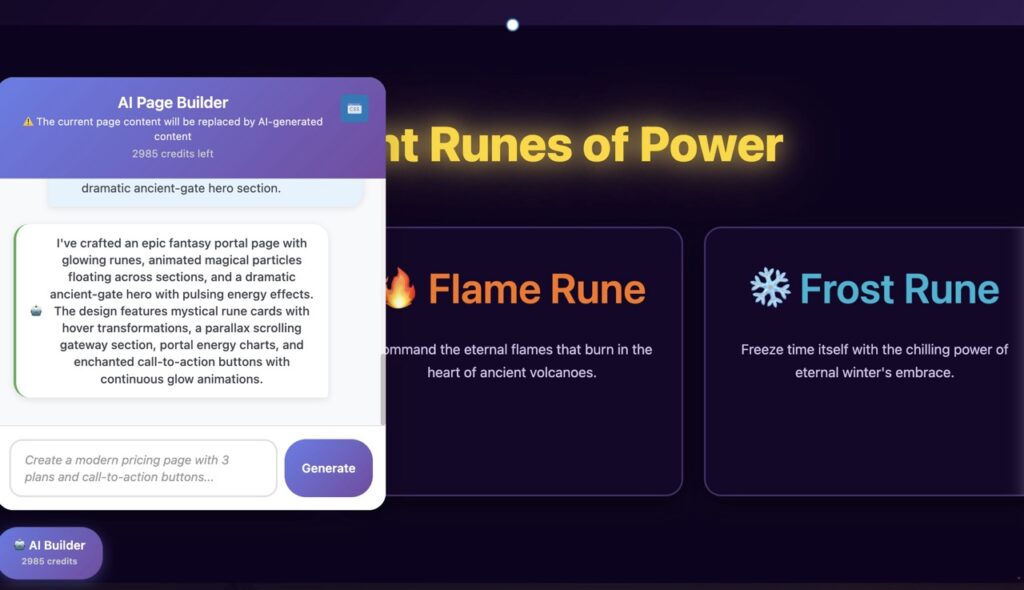
    AI Builder takes a fundamentally different approach. Built natively for WordPress Gutenberg, it generates standard blocks and custom CSS directly in your editor. This means complete portability, zero vendor lock-in, and seamless integration with your existing WordPress workflow.

    Continuous Copilot Experience

    Unlike one-time onboarding wizards, AI Builder serves as your ongoing design partner. Generate pricing tables, hero sections, testimonials, or any custom layout on demand. Need an image? Generate it inline. Want to rewrite a paragraph? Context-aware AI handles it instantly.

    Key Advantages

    • Native Gutenberg integration with standard blocks
    • 100% portable, no vendor lock-in
    • Continuous copilot for ongoing design needs
    • Built-in multilingual engine with routing
    • Inline image generation and contextual rewriting
    • Free version with no credit card required
    • Credit-based pricing starting at $9/month

    Head-to-Head Comparison

    Hostinger AI (Kodee)

    Best For: Server management and technical support

    Design Approach: Chatbot interface with limited visual control

    Portability: Proprietary system with export limitations

    Usage Model: One-time onboarding wizard

    AI Builder

    Best For: Visual design and content creation

    Design Approach: Native Gutenberg with full visual control

    Portability: 100% standard WordPress, zero lock-in

    Usage Model: Continuous copilot for ongoing needs

    The Verdict: Choose Based on Your Needs

    Both tools excel in their respective domains. Hostinger’s Kodee AI is an outstanding support assistant for server management, troubleshooting, and technical infrastructure. If you need help with DNS, SSL certificates, or hosting issues, Kodee delivers exceptional value.

    However, for website design and content creation, AI Builder is the superior choice. Its native Gutenberg integration, continuous copilot experience, and complete portability make it the ideal tool for building beautiful, functional WordPress sites without vendor lock-in. The credit-based pricing model also provides flexibility regardless of your hosting provider.

    The ideal scenario? Use both. Let Kodee handle your hosting infrastructure while AI Builder powers your design workflow. Together, they create a comprehensive AI-powered website building ecosystem.

    Ready to Transform Your WordPress Design?

    Start with 150 free credits and experience the power of continuous AI-powered design.

  • WordPress 的副驾驶:使用 AI 进行更智能的网站创建

    Microsoft 有 GitHub Copilot 用于编码。如果 WordPress 有自己的网站创建副驾驶呢?了解 AI Builder 如何通过智能协助改变您的 WordPress 工作流程。

    完美副驾驶的特点是什么?

    一个聪明的助手,可以节省时间、减少错误并加快工作流程。就像 GitHub Copilot 革新了编码一样,AI Builder 改变了 WordPress 网站创建。

    节省时间

    在几秒钟内生成完整的页面、内容和布局,而不是几小时。专注于战略,让 AI 处理繁重工作。

    减少错误

    AI 驱动的建议确保 SEO 友好的内容、正确的标题层级和优化的布局。

    工作流程加速

    与 Gutenberg 无缝集成意味着没有学习曲线。立即开始使用智能协助进行构建。

    AI Builder:您的 WordPress 副驾驶实际应用

    了解 AI Builder 如何通过在 Gutenberg 中无缝工作的智能功能改变您的 WordPress 工作流程。

    立即生成完整页面

    输入简单提示,观看 AI Builder 创建具有专业布局、SEO 优化内容和引人注目的行动号召的完整页面。

    • 具有引人注目标题的英雄部分
    • 功能网格和优势列
    • 推荐和社会证明
    • 常见问题部分和联系表单

    为什么选择 AI Builder 而不是传统页面构建器?

    传统页面构建器

    • 陡峭的学习曲线
    • 代码庞大,加载缓慢
    • 自定义选项有限
    • 供应商锁定
    • 手动内容创建

    AI Builder

    • 零学习曲线
    • 轻量级、快速性能
    • 原生 Gutenberg 集成
    • 完全自定义自由
    • AI 生成的内容和图像

    准备好改变您的 WordPress 工作流程了吗?

    加入数千名自由职业者、代理商和企业家的行列,他们正在使用 AI Builder(您的个人 WordPress 副驾驶)更快地构建专业 WordPress 网站。

  • WordPress Gutenberg 最佳 AI 插件?认识 AI Builder

    WordPress Gutenberg 最佳 AI 插件?认识 AI Builder

    AI Builder

    了解为什么 AI Builder 是第一个也是唯一一个能够使用 AI 生成完整、可投入生产的 Gutenberg 区块的 WordPress 插件——不是模板,而是真实代码。

    WordPress AI 革命从这里开始

    多年来,WordPress 用户一直被困在两个令人沮丧的选择之间:花费数小时手动构建页面,或被锁定在限制创意和臃肿网站的专有页面构建器中。AI Builder 完全改变了这一切。

    与简单重新排列预制设计的基于模板的解决方案不同,AI Builder 使用人工智能从头开始生成完整的功能性 Gutenberg 区块。每个标题、段落、图像、按钮和布局元素都是专门为您的需求创建的——而不是从有限的模板库中提取的。

    AI Builder 的与众不同之处

    真实代码生成,而非模板

    AI Builder 是第一个使用 AI 生成完整 Gutenberg 区块的 WordPress 插件。当您描述您需要的内容时,该插件会编写实际的区块代码——JSON 结构、CSS 样式和内容——根据您的具体要求进行定制。这不是关于从预制模板中选择;而是关于按需创建独特的、可投入生产的区块。

    AI 驱动的内容和图像

    除了布局外,AI Builder 还为每个元素生成专业文案——标题、描述、行动号召和正文——所有内容都与您的页面目的相关。该插件还直接在 Gutenberg 图像区块中创建 AI 生成的图像,无需订阅库存照片或使用外部设计工具。

    生成后的完全自由

    使用 Elementor、Divi 或 Beaver Builder 等页面构建器最大的困扰之一是供应商锁定。一旦您使用这些工具构建页面,您就被困在它们的生态系统中。切换主题或停用插件,您的内容就会损坏或完全消失。

    AI Builder 采用了根本不同的方法。它生成原生 Gutenberg 区块——与 WordPress 核心相同的区块。生成后,您拥有完全的控制权。使用标准 WordPress 编辑器编辑文本、交换图像、调整颜色、重新排列布局或删除部分。没有专有界面,没有特殊依赖,没有锁定。

    您的内容保持完全可移植性。明天停用 AI Builder,您的页面仍然完美运行,因为它们是用标准 WordPress 区块构建的。这是传统页面构建器永远无法提供的自由。

    简洁与强大的结合

    传统页面构建器用复杂的界面、数百个小部件和陡峭的学习曲线让用户感到困惑。AI Builder 消除了复杂性。用简单的语言描述您想要的内容,AI 会立即为您构建。

    需要一个包含英雄部分、功能网格、推荐和联系表单的登陆页面?只需告诉 AI Builder。想要一个具有自定义样式的博客文章布局?描述它。该插件处理技术实现,而您专注于您的信息和目标。

    重要的性能

    页面构建器以臃肿网站而臭名昭著。它们加载大量 JavaScript 库,到处注入内联样式,并生成低效的代码,使您的网站速度变慢。这会损害 SEO、用户体验和转化率。

    AI Builder 生成干净、轻量级的代码。因为它创建原生 Gutenberg 区块,所以没有额外的框架开销。该插件还包括自动图像优化,在不牺牲质量的情况下压缩和调整图像大小以获得网络性能。您的页面加载速度快、排名更好、转化更多访客。

    经济实惠的创新

    高级页面构建器每年收费 200-500 美元以获得可比功能。加上库存照片订阅、文案工具和设计软件,成本很快就会螺旋式上升到每年数千美元。

    AI Builder 将这些工具整合为一个经济实惠的解决方案。以一小部分成本生成无限页面、区块、文本和图像。无论您是构建客户网站的自由职业者、管理多个项目的代理商,还是创建自己网络形象的企业主,AI Builder 都以合理的价格提供企业级功能。

    首创之举

    AI Builder 不仅仅是另一个 WordPress 插件——它是一个范式转变。没有其他解决方案能够使用 AI 从头开始生成完整的功能性 Gutenberg 区块。虽然竞争对手提供 AI 辅助写作或模板选择,但 AI Builder 创建整个结构:区块、布局、样式、内容和图像。

    这种开创性的方法意味着您不受他人设计决策或模板库的限制。每个页面都是独特的,每个区块都是自定义构建的,每个元素都满足您的特定需求。AI Builder 代表了 WordPress 开发的未来——人工智能处理技术复杂性,而您保持创意控制。

    选择很清楚

    WordPress 用户应该比臃肿的页面构建器更好,这些构建器会锁定他们、收取高价并减慢他们的网站速度。AI Builder 提供了一个革命性的替代方案:真正的 AI 驱动的区块生成、完整的创意自由、原生 WordPress 集成、卓越的性能和经济实惠的定价。

    无论您是构建第一个网站还是第一百个网站,AI Builder 都能加快您的工作流程,而不会影响质量或灵活性。它不仅仅是一个更好的页面构建器——它是创建 WordPress 内容的全新方式。

  • 理解E-E-A-T并创建可信的AI内容

    掌握谷歌的E-E-A-T框架,创建排名靠前且能与受众建立信任的AI驱动内容。

    什么是E-E-A-T,为什么它很重要?

    E-E-A-T代表经验、专业知识、权威性和可信度。最初在谷歌搜索质量评分指南中作为E-A-T引入,该框架在2022年12月增加了额外的”E”代表经验。这一演变反映了谷歌致力于展示由对其主题具有真实、第一手知识的人创建的内容。

    虽然E-E-A-T不是直接的排名因素,但它深刻影响谷歌算法如何评估内容质量。展示强大E-E-A-T信号的页面在搜索结果中的表现始终优于竞争对手,特别是对于YMYL(您的金钱或您的生活)主题,如健康、财务和法律建议。随着AI生成内容充斥互联网,谷歌加倍努力奖励真实、可信的声音。

    E-E-A-T的四个支柱

    经验

    对该主题的第一手、真实世界的经验。分享个人轶事、案例研究和实际见解,这些只有做过这项工作的人才能提供。

    专业知识

    在您的领域中展示的知识和技能。凭证、认证、多年的实践和理解深度都有助于感知的专业知识。

    权威性

    被认可为您所在行业的首选来源。通过反向链接、引用、媒体提及和社区对您贡献的认可而建立。

    可信度

    准确性、透明度和安全性。引用来源、维护最新信息、使用HTTPS、显示清晰的联系方式并尊重用户隐私。

    AI内容的挑战

    ChatGPT、Claude和专门内容生成器等AI写作工具已经彻底改变了内容创建。它们擅长生成大纲、建议结构和大规模生成语法正确的文本。然而,AI生成的内容面临一个根本限制:它缺乏真实的经验,通常会产生通用的、肤浅的信息,这些信息在网络上镜像现有内容。

    谷歌的算法在检测缺乏人类洞察的纯AI生成内容方面变得越来越复杂。2024年3月的核心更新特别针对低质量、非原创内容——其中大部分是没有人工监督的AI生成内容。仅依赖AI内容的网站看到了显著的排名下降,而那些将AI效率与人类专业知识相结合的网站则保持或改善了他们的位置。

    解决方案不是放弃AI工具——而是将其战略性地用作助手而非替代品。AI可以处理研究、结构和初稿的繁重工作,但人类专业知识必须添加经验、细微差别和验证,将通用内容转变为可信、有价值的资源。

    符合E-E-A-T的AI内容实用策略

    1. 从AI开始,以专业知识结束:使用AI Builder或类似工具生成大纲和初稿,然后用个人经验、具体例子和只有您能提供的独特见解来丰富。
    2. 添加可验证的来源:每项声明都应链接到权威来源——研究论文、行业报告、官方文档。AI经常编造引用;始终验证并用真实参考资料替换。
    3. 包括案例研究和示例:通过分享真实项目、客户成果或具有具体指标和结果的个人实验,将通用建议转变为可行的指导。
    4. 创建全面的作者简历:专门用空间来建立凭证。包括相关经验、认证、出版物和专业档案的链接(LinkedIn、行业协会、作品集网站)。
    5. 定期更新:E-E-A-T倾向于当前、维护的内容。安排季度审查以更新统计数据、刷新示例并根据不断发展的行业标准添加新见解。
    6. 鼓励专家审查:发布前,让主题专家审查技术准确性。他们的反馈可以捕捉AI幻觉并增加可信度。
    7. 实施架构标记:使用文章和作者架构向搜索引擎明确传达内容创建者、发布日期和组织隶属关系。
    8. 建立主题权威:与其分散的主题不同,专注于对您的利基的全面覆盖。交叉链接相关文章以展示知识深度。

    使用AI Builder创建E-E-A-T内容

    AI Builder简化了内容创建过程,同时保持了E-E-A-T合规所需的灵活性。这是一个平衡效率和可信度的实用工作流程:

    第1步:生成基础。使用AI Builder创建初始页面结构,包括标题、介绍段落和部分大纲。AI处理格式、基本SEO结构和内容流。

    第2步:注入个人经验。审查每个部分并从您的工作中添加具体示例。用’在我五年的SaaS公司咨询中,我看到73%的人在…期间特别在X方面苦恼’替换’许多企业在X方面苦恼’这样的通用陈述。

    第3步:添加权威来源。研究并链接到5-10个支持您声明的可信来源。使用AI Builder的文本块创建格式正确的引用,并超链接到原始研究、行业报告或专家评论。

    第4步:创建作者部分。在文章末尾添加专门的”关于作者”块。包括您的照片、凭证、相关经验和专业档案的链接。这向读者和搜索引擎表明真正的专家支持该内容。

    第5步:使用上下文优化图像。使用AI Builder的图像生成来获取视觉效果,但添加提供上下文的详细替代文本和标题。通用库存照片会损害E-E-A-T;自定义图形、屏幕截图和注释图表展示了实际操作知识。

    衡量E-E-A-T成功

    虽然E-E-A-T不能直接衡量,但几个指标表明您的内容策略是否有效。监控有机流量增长,特别是对于E-E-A-T最重要的信息查询。跟踪平均页面停留时间和滚动深度——参与的读者向谷歌表明内容有价值。观察品牌搜索和直接流量的增加,表明权威性不断增长。监控来自您所在行业信誉良好网站的反向链接;质量链接仍然是强大的E-E-A-T信号。

    使用谷歌搜索控制台识别失去展示次数或点击的页面。这些可能需要E-E-A-T改进——更新的作者简历、额外的来源或更具体的示例。将您的内容与排名靠前的竞争对手进行比较:他们是否展示了更多经验、引用了更好的来源或提供了更可行的见解?系统地缩小这些差距。

    准备好创建可信的AI内容了吗?

    立即开始使用AI Builder构建符合E-E-A-T的内容。生成专业页面、添加您的专业知识并在搜索结果中排名更高。